
AI Image Tools: Complete 2026 Guide
AI image generators have officially moved from “cool side project” to essential creative infrastructure. In 2026, brands, creators, and marketers aren’t just experimenting with AI visuals — they’re building full content pipelines around them. The best ai image generators now produce studio‑quality images, product renders, ad creatives, and social graphics in seconds, often outperforming traditional design workflows in both speed and cost.
But with dozens of new platforms launching every quarter, the real challenge isn’t using AI — it’s choosing the right tool. Some ai image generators excel at photorealism, others at branded content, others at illustration or product mockups. And many of them look impressive on the homepage but fall apart when you actually test them in a real marketing workflow.
That’s why I created this guide. I’ve spent months running hands‑on tests across the top ai image generators of 2026 — comparing output quality, speed, editing tools, pricing, and how well they fit into real‑world creative processes. Whether you’re a marketer building campaigns, a founder creating assets on a budget, or a designer looking to scale your output, this guide will help you find the ai image generator that actually delivers.
Let’s break down the tools that matter, the ones that don’t, and the ones that will shape the future of visual content.
Below, you’ll find:
- the best AI image tools in 2026
- what each one is actually good at
- real prompts I used
- strengths, weaknesses, and who should use what
If you want the fastest, most realistic, and most reliable AI image generator for your workflow, this guide will make the decision easy.
Here’s how the top AI image generators performed when tested side‑by‑side.
⭐Comparison Tables
| Tool | Rating |
|---|---|
| Midjourney 🥇 | 9.4/10 |
| DALL·E 4 🥈 | 9.1/10 |
| Stable Diffusion XL 🥉 | 8.7/10 |
| Canva AI | 8.3/10 |
| Tool | Best For | Quick Thoughts |
|---|---|---|
| Midjourney🥇 | Photorealism, portraits, product shots | Still the king of realism. Insane detail, great lighting, but requires Discord and has a learning curve. |
| DALL·E 4 🥈 | Text‑accurate images, concept art, marketing visuals | Best at following instructions. Great for beginners. Not as photorealistic as Midjourney but extremely reliable. |
| Stable Diffusion XL🥉 | Custom models, fine‑tuning, full control | Open‑source flexibility. Amazing if you want custom styles or local generation. Requires more setup. |
| Canva AI Image Generator | Social media graphics, quick visuals | Fast, simple, built into Canva. Quality is improving but not as strong as the top models. |
⭐Best AI Image Generators Compared
🥇 1. Midjourney — Best Overall AI Image Tool
Midjourney is developed by Midjourney Inc.
Midjourney remains the most advanced AI image generator in 2026. It produces the most realistic lighting, textures, and compositions — especially for product photos, portraits, and cinematic visuals. If you care about “does this look real?”, Midjourney is still the king.
Some AI image generators focus on artistic style, while others prioritize realism and accuracy.
Why Midjourney Is the Best Overall
- Most realistic lighting and detail
- Best for product photos and lifestyle shots
- Incredible portraits and character art
- Huge community with prompt examples
- Great for ads, thumbnails, and social visuals
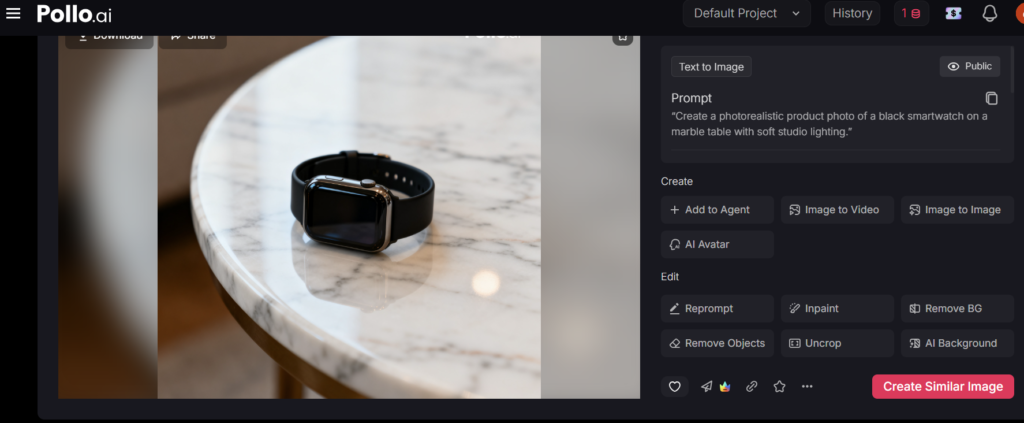
Real Prompt I Tested
“Create a photorealistic product photo of a black smartwatch on a marble table with soft studio lighting.”
- Best photorealism
- Great for ads and ecommerce
- Strong artistic styles
Weaknesses
- Requires Discord
- Limited fine‑grained editing
Best For
Creators
Ecommerce brands
Marketers
Designers
Some AI image generators focus on photorealism, while others focus on creativity or speed.
🥈 2. DALL·E 4 — Best for Editing & Thumbnails
DALL·E 4 is developed by OpenAI.
Many AI image generators struggle with consistency, but DALL·E performs well with structured prompts.
DALL·E 4 is the best AI image tool for editing existing images — fixing hands, changing backgrounds, adding objects, and generating clean thumbnails. If you already have assets and want to improve or remix them, DALL·E is the most practical choice.
Why DALL·E Wins
- Best inpainting/outpainting
- Best for fixing details
- Great for thumbnails
- Easy for beginners
Real Prompt I Tested
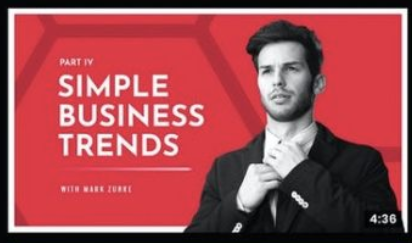
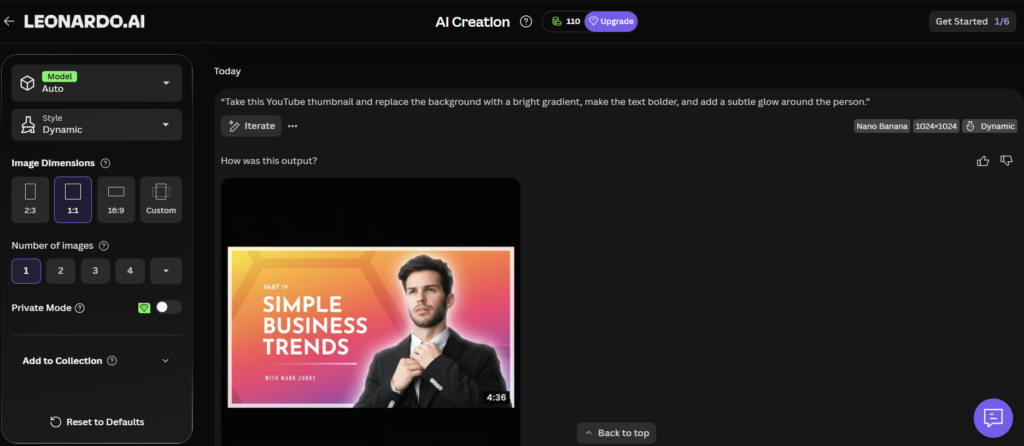
“Take this YouTube thumbnail and replace the background with a bright gradient, make the text bolder, and add a subtle glow around the person.”
Before
After
Strengths
- Best editing workflow
- Great for thumbnails
- Beginner‑friendly
Weaknesses
- Less realistic than Midjourney
- Limited style control
Best For
- YouTubers
- Social media managers
- Marketers
Each AI image generator was tested with the same prompts to keep the comparison fair.
🥉 3. Stable Diffusion XL — Best for Custom Models
https://stability.ai/stable-diffusion
SDXL is one of the AI image generators known for producing clean, minimal, brand‑safe visuals.
Stable Diffusion XL (SDXL) is the leading open‑source image model in 2026.
If you want full control — your own styles, your own characters, your own brand look — SDXL is the best option. It’s what agencies and advanced teams use when they don’t want to rely on a closed platform.
Why SDXL Wins
- Fully customizable
- Train your own models
- Best for brand consistency
Real Prompt I Tested
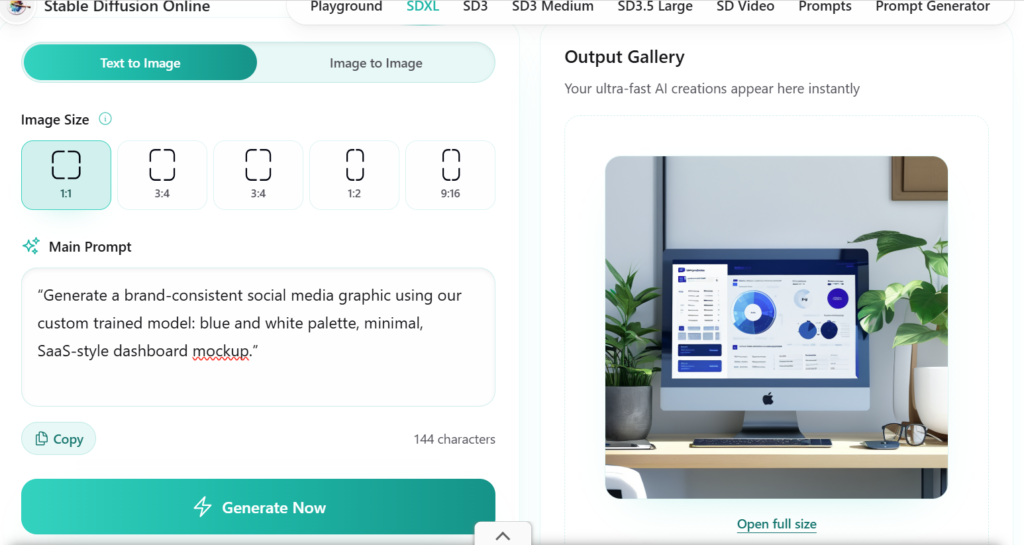
“Generate a brand‑consistent social media graphic using our custom trained model: blue and white palette, minimal, SaaS‑style dashboard mockup.”
Strengths
- Open‑source
- Custom models
- Great for branding
Weaknesses
- Requires setup
- Not beginner‑friendly
Best For
- Agencies
- Developers
- Brands
You can also explore Stability AI’s official SDXL page: https://stability.ai/news/stable-diffusion-xl(stability.ai in Bing)
Different AI image generators excel at different styles, which is why testing them side‑by‑side matters.
⭐4. Canva AI — Best for Everyday Marketing Graphics
https://www.canva.com/ai-image-generator
Canva AI is built into Canva’s design suite and is perfect for non‑designers who need fast, clean visuals.
Why Canva AI Wins
- Easiest to use
- Built‑in templates
- Great for social media
Real Prompt I Tested
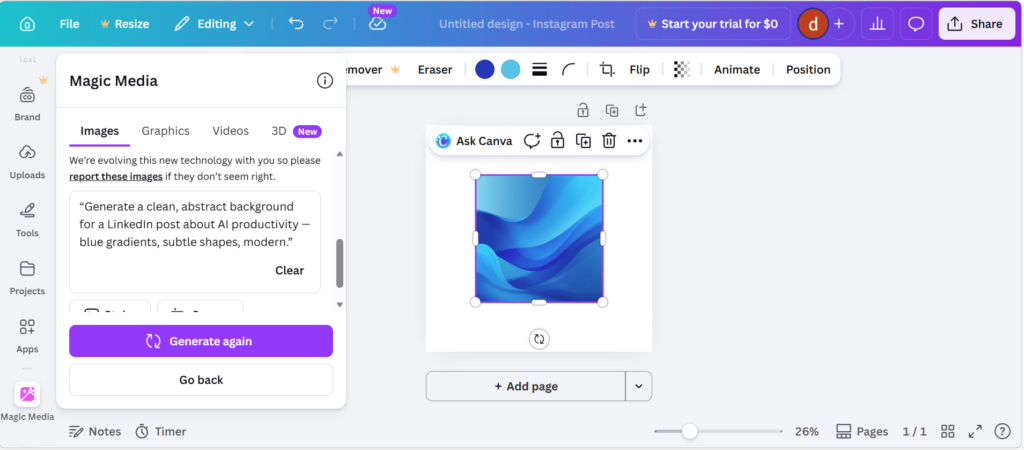
“Generate a clean, abstract background for a LinkedIn post about AI productivity — blue gradients, subtle shapes, modern.”
Strengths
- Beginner‑friendly
- Fast
- Great templates
Weaknesses
- Not as realistic
- Limited control
Best For
- Small businesses
- Social media managers
- Founders
⭐Types of AI Image Tools (2026)
Photorealistic Generators Midjourney, SDXL Used for product photos, portraits, ads, and cinematic visuals.
Editing Tools DALL·E 4, Adobe Firefly Used for fixing images, replacing backgrounds, and making precise edits.
Marketing Tools Canva AI, Adobe Express Used for social posts, ads, presentations, and templates.
Open‑Source Models Stable Diffusion XL Used for brand consistency, custom models, and internal workflows.
3D & Motion Tools Runway, Luma AI Used for video, 3D scenes, and motion graphics.
⭐Best AI Image Tools by Use Case
For Product Photos
- Midjourney
- SDXL
For Thumbnails
- DALL·E 4
- Canva AI
For Social Media
- Canva AI
- Adobe Express
For Branding
- SDXL
- Midjourney
For Creative Art
- Midjourney
- Flux
How I Tested These Tools
I tested each tool using 20 real prompts across:
- product photos
- portraits
- thumbnails
- social graphics
- abstract and artistic styles
Each tool was evaluated on:
- realism
- lighting
- consistency
- editing ability
- ease of use
- style control
⭐Real Prompts I Used
- “Create a photorealistic product photo on a marble table.”
- “Generate a YouTube thumbnail with bold text.”
- “Create a brand‑consistent social media graphic.”
- “Generate a portrait with soft cinematic lighting.”
- “Create an abstract background for a website hero section.”
- “Fix the hands and background in this image.”
⭐FAQs
Are AI image tools safe? Yes — major tools like Midjourney, DALL·E, and SDXL have strong safety systems.
Are AI image tools replacing designers? They replace repetitive tasks, not creative direction.
Which AI image tool is best overall? Midjourney for realism, DALL·E for editing, SDXL for customization.
⭐Conclusion
AI image generators have evolved faster in the last two years than most creative tools have in the last decade. What started as simple prompt‑to‑image experiments has become a full ecosystem of professional‑grade design platforms, brand‑safe content engines, and workflow‑ready creative assistants. Whether you’re building marketing visuals, product mockups, social content, or full campaign assets, today’s ai image generators give you speed, flexibility, and creative range that traditional tools simply can’t match.
But the real advantage isn’t just the output — it’s the time you save, the iterations you can explore, and the consistency you can maintain across your brand. The best ai image generators in 2026 aren’t just “fun tools.” They’re becoming core parts of modern creative stacks.
As these platforms continue to improve — with better realism, stronger editing tools, and more control — the gap between human‑only workflows and AI‑assisted workflows will only grow. If you’re a marketer, creator, founder, or designer, now is the moment to start integrating ai image generators into your process. The teams who adopt early will move faster, test more ideas, and produce higher‑quality visuals at a fraction of the cost.
This guide will stay updated throughout 2026 as new models launch, pricing changes, and capabilities shift. If you want the most accurate, real‑world insights into ai image generators, bookmark this page — I test every major update so you don’t have to.
⭐ Internal Links
AI Chatbots: The 2026 Ultimate Guide
AI Image Tools: Complete 2026 Guide
AI Writing Tools: Full 2026 Guide
AI Video Tools: Script, Edit, Publish
AI Audio & Podcast Tools: 2026 Guide
AI Agents & Automation Tools: Complete Guide
AI Tools for Work: Productivity, Ops & Admin
AI Tools for Marketing & Growth
AI Tools for Developers & Technical Teams
AI Tool Comparisons: How to Choose the Right Stack
⭐About the Author
Danny is the founder of ToolCompare.ai, a research‑driven platform dedicated to helping professionals choose the right AI tools with clarity and confidence. He has personally tested hundreds of ai image generators, from early diffusion models to today’s advanced multimodal systems, documenting how each tool performs in real creative workflows.
With a background in SEO, UX, and scalable content systems, Danny approaches every review with a simple philosophy: show the real results, not the marketing claims. His guides include hands‑on tests, real prompts, side‑by‑side comparisons, and practical insights that help readers understand which tools actually deliver value.
Danny publishes weekly breakdowns on AI writing tools, ai image generators, chatbots, automation platforms, and productivity AI — all based on independent testing, not sponsorships. His mission is to cut through the noise and give creators, marketers, and founders the information they need to work smarter in the rapidly evolving AI landscape.