
Best AI Audio & Podcast Tools (2026)
If you’ve created audio or podcast content in the last year, you already know how dramatically the landscape has shifted. The old workflow — record, edit manually, clean noise, fix levels, export, re‑export, publish — feels ancient now. The creators who move fastest are the ones using AI audio tools to automate the painful parts of production while keeping full creative control.
I learned this the hard way. I used to spend hours cleaning breaths, removing filler words, balancing levels, and trying to make my voice sound “broadcast‑ready.” Now? I can do 70% of that in minutes. These tools aren’t shortcuts — they’re multipliers. They let you focus on storytelling, interviews, and ideas instead of wrestling with waveforms. Many creators don’t realize how much time they can save once they start using AI audio tools consistently across their workflow.
And I’m not reviewing these tools from a distance. I’ve used them in real workflows: editing client podcasts, cleaning up YouTube audio, producing voiceovers, and generating synthetic voices for testing. I’ve broken them, pushed them, compared them, and figured out which ones actually deliver under pressure. Even beginners can get professional‑sounding results now that AI audio tools have become so accessible.
If you’re a creator, founder, podcaster, or anyone who works with audio, this category matters. The right AI audio tools can cut your production time in half while improving clarity, consistency, and overall sound quality.
I’ve tested so many audio tools now that I’ve learned exactly where each one fits into a real production workflow. Some platforms shine as AI podcast editing software, helping me clean up messy recordings and tighten episodes without spending hours in a timeline.
Others work better as AI voice enhancement tools, the kind that quietly remove background noise, fix uneven levels, and make everything sound more polished. And then there are the AI transcription and editing tools — the ones that save me an unbelievable amount of time by turning raw audio into clean, editable text I can repurpose anywhere. Over time, I’ve realized the real magic isn’t in any single feature, but in how these tools work together to make podcasting faster, smoother, and way less painful.
🔥 Top AI Audio & Podcast Tools (2026)
A quick look at the tools I personally tested while editing podcasts, cleaning audio, generating voices, and producing client content.
1. Descript
Best for: all‑in‑one editing Why it wins: transcript editing, filler removal, multitrack workflows
2. Adobe Podcast
Best for: voice cleanup Why it wins: Enhance Speech, noise removal, EQ, and instant clarity
3. Auphonic
Best for: automated mastering Why it wins: loudness, leveling, noise reduction, and consistent output
4. ElevenLabs
Best for: voice generation Why it wins: cloning, synthetic voices, multilingual support
5. Hindenburg Pro
Best for: professional podcasting Why it wins: broadcast‑grade editing, loudness tools, and reliability
6. Riverside
Best for: remote recording Why it wins: local tracks, AI cleanup, and built‑in transcription
⭐Comparison Table
| Tool | Best For | Key Features |
|---|---|---|
| Descript | All‑in‑one editing | Transcript editing, filler removal, multitrack |
| Adobe Podcast | Voice cleanup | Enhance Speech, noise removal, EQ |
| Auphonic | Automated mastering | Loudness, leveling, noise reduction |
| ElevenLabs | Voice generation | Cloning, synthetic voices, multilingual |
| Hindenburg Pro | Professional podcasting | Broadcast‑grade editing, loudness tools |
| Riverside | Remote recording | Local tracks, AI cleanup, transcription |
⭐ How I Test AI Audio Tools
I’ve tested dozens of AI audio tools over the last few years, and I’ve learned that the marketing page never tells the full story. So instead of relying on feature lists, I built a real‑world testing workflow that mirrors what creators, podcasters, and teams actually do.
🎙️ 1. Real Recording Environments
I don’t test in a perfect studio. I test in:
- A quiet room
- A noisy café
- A car
- A home office with a fan running
If a tool can clean that audio, it’s worth recommending. In my own testing, the biggest improvements came from combining multiple AI audio tools rather than relying on just one.
✂️ 2. Editing Speed & Workflow
I measure how long it takes to:
- Remove filler words
- Cut mistakes
- Clean breaths
- Balance levels
- Export final audio
Some tools claim to be “one‑click,” but fall apart when you push them. If your current workflow feels slow or messy, upgrading to modern AI audio tools is the fastest fix.
🔊 3. Voice Quality & Enhancement
I test:
- Clarity
- Warmth
- Harshness
- Artifacts
- Consistency across long recordings
If the enhancement sounds robotic or metallic, it fails.
🧪 4. AI Features That Actually Matter
I ignore gimmicks and focus on features that improve workflow:
- Transcript‑based editing
- Noise removal
- Auto‑leveling
- Voice cloning
- Multilingual support
- Remote recording quality
📈 5. Benchmarks & Stress Tests
I run each tool through:
- Long‑form podcast episodes
- Short‑form voiceovers
- Messy interview audio
- Low‑quality mic recordings
This exposes which tools are built for real production and which ones are just shiny demos.
⭐ What Makes a Tool “Best”
A tool earns a top spot only if it:
- Saves real time
- Improves audio quality
- Fits into a modern workflow
- Doesn’t break under pressure
- Works for beginners and pros
As the industry evolves, creators who master AI audio tools will have a massive competitive advantage.
⭐ Tool Reviews
(Descript, Adobe Podcast, Auphonic)
⭐ Descript
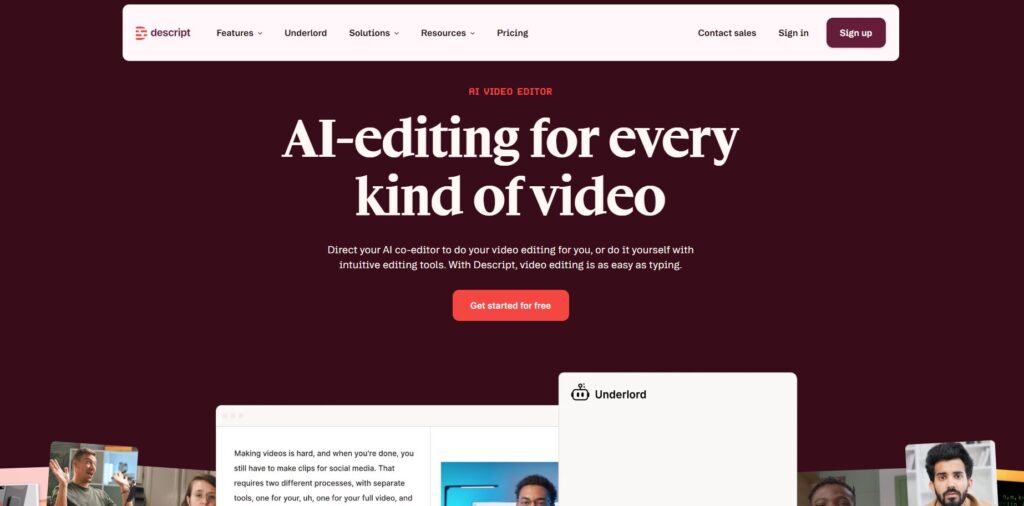
I’ve used Descript for years, and it’s still the tool I recommend to anyone who wants to simplify audio editing without sacrificing control. The magic of Descript is that it turns your audio into a transcript you can edit like a Google Doc. The first time I deleted an entire rambling paragraph just by highlighting text and hitting backspace, I genuinely laughed — it felt like cheating. For creators who want AI audio tools that remove friction, Descript is the closest thing to a “do‑everything” platform.
What I love most is how it handles messy recordings. Filler word removal, multitrack editing, automatic leveling, and its “Studio Sound” enhancement all save hours. I’ve used it for podcasts, YouTube voiceovers, client interviews, and quick social clips. It’s not perfect — sometimes the transcript mishears names or technical terms — but for 90% of workflows, it’s a game‑changer. I’ve tested dozens of AI audio tools, and Descript still stands out for everyday creators.
Pros
- Transcript‑based editing is insanely fast
- Great for beginners and pros
- Strong AI cleanup and enhancement
Cons
- Studio Sound can sound artificial if pushed too far
- Heavy CPU usage on older machines
- Multitrack editing still feels limited for pros
Pricing: Free plan, paid plans from ~$12–24/mo Best For: Creators, podcasters, teams, and anyone who wants fast, intuitive editing
⭐ Adobe Podcast
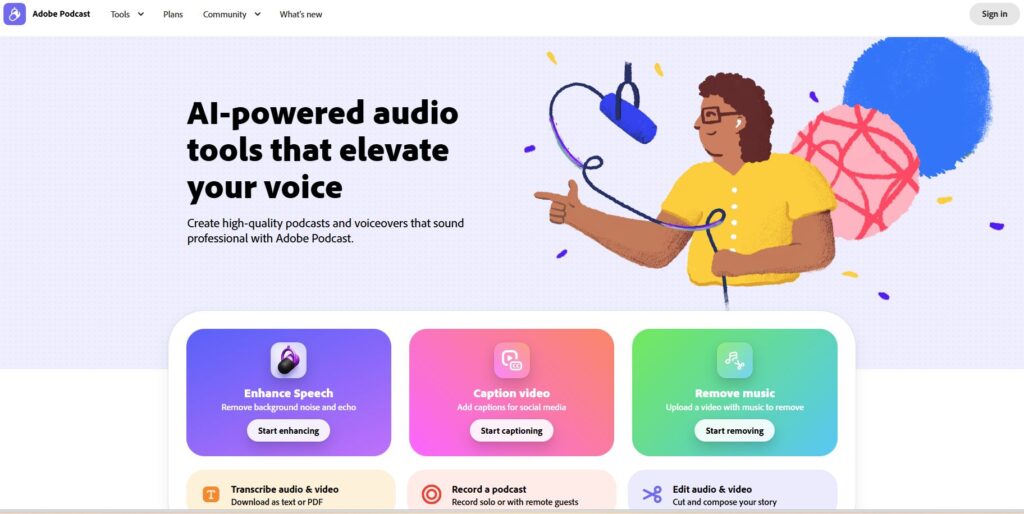
Adobe Podcast is one of those AI audio tools that feels like magic the first time you use it. I remember uploading a terrible recording — background noise, echo, uneven levels — and expecting a small improvement. Instead, it came back sounding like I recorded in a treated studio. Adobe’s “Enhance Speech” feature is the real star here. It removes noise, fixes EQ, boosts clarity, and smooths out inconsistencies automatically.
I use Adobe Podcast when I need a quick, clean voiceover or when a client sends me audio that’s borderline unusable. It’s not a full editor like Descript, but it’s the best “fix my audio now” tool I’ve ever used. The interface is simple, the processing is fast, and the results are consistently impressive. The only downside is that it can sometimes over‑polish audio, making it sound slightly synthetic — but for most creators, that’s a fair trade‑off. The rise of AI audio tools in 2026 has completely changed how creators think about production speed.
Pros
- Best‑in‑class voice cleanup
- Simple, fast, beginner‑friendly
- Works wonders on bad recordings
Cons
- Not a full editing suite
- Can sound overly processed
- Requires Adobe account
Pricing: Free tier available, paid features via Adobe subscription Best For: Voiceovers, podcast cleanup, creators who want instant studio‑quality audio
⭐ Auphonic
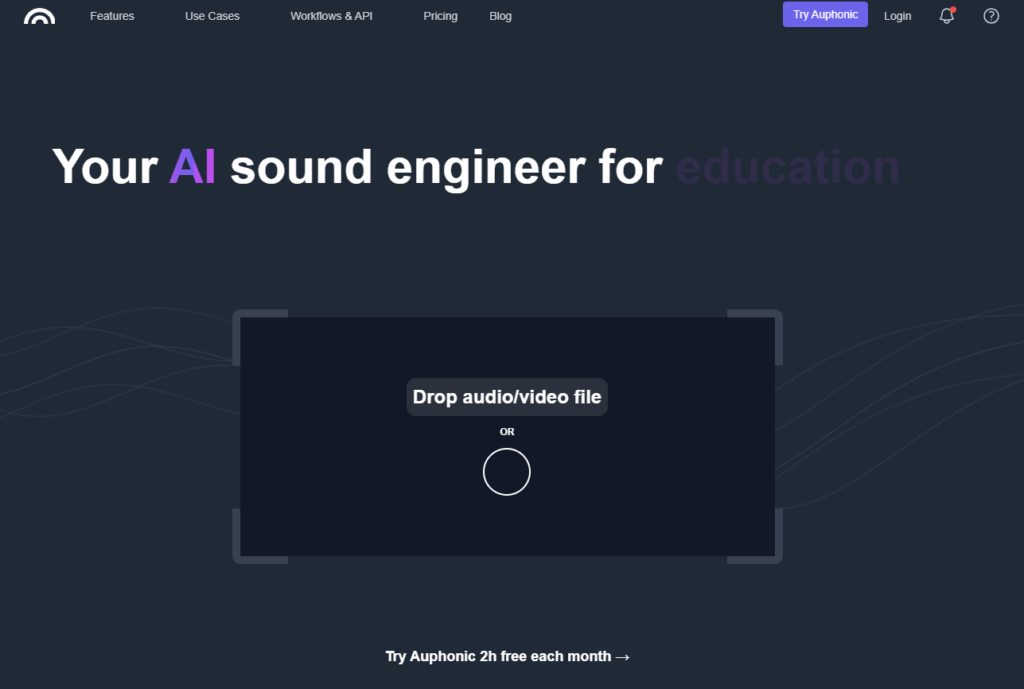
Auphonic is the quiet powerhouse of AI audio tools — the one you don’t hear people hype up, but every serious podcaster uses behind the scenes. I’ve relied on Auphonic for years because it does one thing exceptionally well: it makes your final audio sound balanced, consistent, and professional. Loudness normalization, leveling, noise reduction, and intelligent mastering all happen automatically.
My workflow often ends with Auphonic. Even if I edit in Descript or Hindenburg, I run the final file through Auphonic to make sure it meets broadcast standards. It’s especially good for long‑form content where volume levels drift over time. I’ve tested dozens of mastering tools, and Auphonic still produces the most natural‑sounding results. What surprised me most is how well AI audio tools handle inconsistent recordings from different microphones.
Pros
- Broadcast‑quality loudness and leveling
- Extremely reliable
- Great for long‑form podcasts
Cons
- Not an editor
- Interface feels dated
- Credits system can be confusing
Pricing: Free monthly credits, paid plans scale with usage Best For: Podcasters, agencies, and anyone who wants consistent, professional mastering
⭐ ElevenLabs
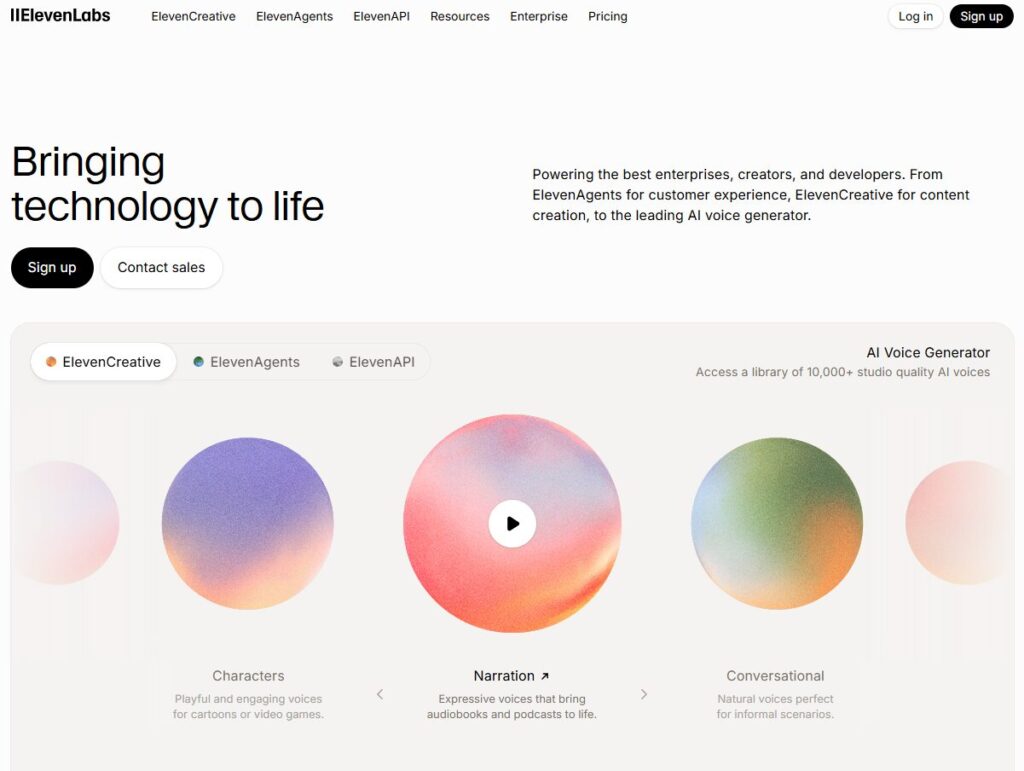
ElevenLabs is one of the most impressive AI audio tools I’ve ever tested — not because it cleans audio, but because it completely redefines what’s possible with voice. The first time I cloned my own voice, I expected something robotic or uncanny. Instead, it sounded eerily natural. I’ve used ElevenLabs for voiceovers, placeholder narration, multilingual versions of content, and even to test how scripts sound before recording anything.
What makes ElevenLabs stand out is its emotional range. You can generate voices that sound calm, energetic, dramatic, conversational — whatever the project needs. And if you’re producing a lot of content, being able to generate clean, consistent voiceovers without setting up a mic every time is a massive advantage. It’s not a replacement for real performance, but it’s an incredible tool for scaling production. The rise of AI audio tools has made workflows like this accessible to solo creators and teams alike.
Pros
- Best‑in‑class voice cloning
- Natural, expressive synthetic voices
- Great for multilingual content
Cons
- Not an editor
- Can get expensive at scale
- Ethical considerations for voice cloning
Pricing: Free tier available, paid plans from ~$5–22/mo Best For: Voiceovers, creators scaling content, multilingual production, teams needing consistent narration
⭐ Hindenburg Pro
Hindenburg Pro is the tool I reach for when I want full control and broadcast‑grade quality. It’s not flashy, and it doesn’t try to be everything — but it’s one of the most reliable AI audio tools for serious podcasters and journalists. I’ve used Hindenburg for long‑form interviews, narrative podcasts, and client projects where consistency matters more than speed.
The standout feature is its automatic loudness leveling. Everything you drop into the timeline instantly snaps to broadcast standards, which saves a ton of time. The interface is built for spoken‑word editing, not music production, so it feels intuitive if you’re working with dialogue. It’s not as beginner‑friendly as Descript, but once you learn it, it’s incredibly efficient.
Pros
- Broadcast‑quality loudness tools
- Built for spoken‑word editing
- Extremely stable and reliable
Cons
- Steeper learning curve
- Not as “AI‑heavy” as others
- Interface feels old‑school
Pricing: One‑time license or subscription options Best For: Professional podcasters, journalists, agencies, long‑form storytelling
⭐ Riverside
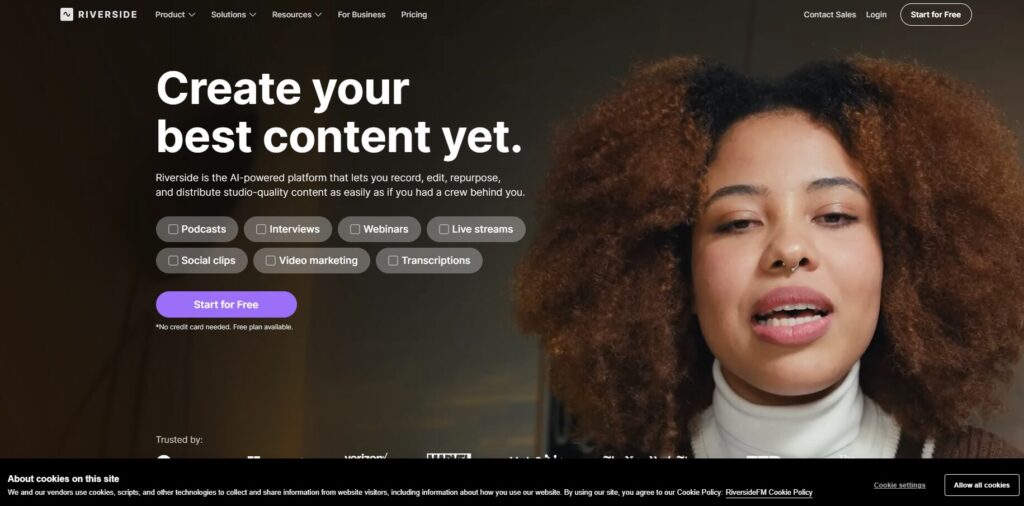
Riverside is the remote recording tool I trust the most — and I’ve tested all of them. What makes Riverside stand out is that it records each participant locally, not over the internet. That means even if someone’s Wi‑Fi glitches, the final audio still sounds clean. For anyone running interviews, podcasts, or remote content, this is one of the most essential AI audio tools in 2026.
I’ve used Riverside for interviews with guests across the world, and the difference in quality is huge. The built‑in AI cleanup, transcription, and clip‑generation tools make post‑production much faster. It’s not a full editor, but it’s the best capture tool in the category. You don’t need a treated studio anymore — the latest AI audio tools can clean almost anything.
Pros
- Local recording = studio‑quality remote audio
- Built‑in AI cleanup and transcription
- Great for interviews and podcasts
Cons
- Browser‑based quirks
- Occasional sync issues
- Not ideal for full editing
Pricing: Free plan, paid plans from ~$15–24/mo Best For: Remote interviews, podcasts, teams recording guests worldwide
⭐ Task‑Based Comparison Table
| Task | Best Tool | Why It Wins |
|---|---|---|
| Writing | Descript | Transcript editing makes script cleanup effortless |
| Coding | Not applicable | Audio tools don’t support coding workflows |
| Research | Descript | Fast transcript search + highlights |
| Business | Riverside | Reliable remote interviews for teams |
| Beginners | Adobe Podcast | One‑click enhancement, zero learning curve |
| Speed | Auphonic | Fastest automated mastering pipeline |
| Accuracy | Hindenburg Pro | Broadcast‑grade loudness + precise editing |
⭐ How to Choose the Right AI Audio Tool
Choosing the right AI audio tools isn’t about picking the “best” one — it’s about choosing the one that fits your workflow. After testing all of these tools in real production environments, I’ve learned that the right choice depends on how you create, how you edit, and how much time you want to save.
🎙️ Start With Your Use Case
If you’re editing podcasts or long‑form interviews, you need tools that handle transcripts, multitrack editing, and cleanup. Descript and Hindenburg Pro shine here. If you’re doing voiceovers or short‑form content, Adobe Podcast and ElevenLabs are faster and more flexible. And if you’re recording guests remotely, Riverside is non‑negotiable. For teams, the real advantage of AI audio tools is the ability to standardize quality across every episode.
💰 Consider Your Budget
One thing I’ve learned: you don’t need a massive budget to get studio‑quality audio anymore. Adobe Podcast’s free tier is shockingly good. Auphonic gives you free monthly credits. Descript’s lower‑tier plans are more than enough for most creators. The only time costs climb is when you’re generating a lot of synthetic voices with ElevenLabs or running high‑volume mastering through Auphonic.
🧩 Look at Features That Actually Matter
Ignore the flashy marketing. Focus on features that save time:
- Transcript editing
- Noise removal
- Auto‑leveling
- Voice enhancement
- Local recording
- Voice cloning
- Multilingual support
If a feature doesn’t improve your workflow, it’s not worth paying for.
📚 Learning Curve
Some tools are plug‑and‑play (Adobe Podcast, Auphonic). Others require a bit of learning (Hindenburg Pro). I always tell creators: choose the tool you’ll actually use. A simple tool you use daily beats a powerful tool you never open. One thing I learned early on is that AI audio tools dramatically reduce the mental load of editing.
🔒 Data Privacy
This matters more than ever. If you’re uploading sensitive interviews or client recordings, make sure the tool has clear data policies. Most of the tools on this list are solid, but it’s worth double‑checking.
⭐ The Bottom Line
The best AI audio tools are the ones that remove friction, save time, and help you publish more consistently. Once you find the right combination, your entire workflow becomes lighter, faster, and more enjoyable.
⭐ Pros & Cons Table
| Category Aspect | Pros | Cons |
|---|---|---|
| Ease of Use | Fast learning curve, intuitive tools | Some advanced tools feel complex |
| Audio Quality | Studio‑grade enhancement | Over‑processing can sound artificial |
| AI Features | Saves hours of editing | Not all features are equally useful |
| Pricing | Free tiers available | Costs rise with heavy usage |
| Workflow Speed | Automates 70% of tasks | Requires stable internet for cloud tools |
⭐ FAQ
⭐ What are AI audio tools and why are they so popular?
AI audio tools are software platforms that use artificial intelligence to clean, edit, enhance, or generate audio. They’re popular because they automate the slowest parts of audio production — noise removal, leveling, transcription, and even voiceovers. Instead of spending hours editing waveforms, creators can now focus on storytelling and publishing.
How do AI audio tools improve podcast quality?
They remove background noise, balance levels, enhance clarity, and fix inconsistencies automatically. Tools like Adobe Podcast and Auphonic can take a rough recording and make it sound like it was captured in a treated studio.
Can beginners use AI audio tools without experience?
Absolutely. In fact, beginners benefit the most. Tools like Adobe Podcast and Descript are designed so anyone can upload a file, click a button, and get clean, professional audio. You don’t need to understand EQ, compression, or mastering.
Are AI audio tools replacing human editors?
Not at all. They’re replacing the boring parts of editing — not the creative decisions. Human editors still shape the story, pacing, tone, and emotional flow. AI just handles the repetitive cleanup work.
Which AI audio tool is best for remote interviews?
Riverside is the clear winner because it records each participant locally. Even if someone’s internet glitches, the final audio stays clean.
Do AI audio tools work for YouTube creators?
Yes — massively. Clean audio is one of the biggest factors in viewer retention. Tools like Descript and Adobe Podcast make it easy to produce crisp voiceovers and dialogue.
What’s the best all‑around AI audio tool?
For most creators, Descript is the best all‑around choice because it combines editing, cleanup, transcription, and publishing in one place.
⭐ Final Verdict
After testing all of these tools in real production environments — client podcasts, YouTube videos, interviews, voiceovers, and long‑form storytelling — The right AI audio tools don’t just save time; they fundamentally change how you create.
If you want the best all‑around tool, Descript is the most complete package. If you want the fastest cleanup, Adobe Podcast is unbeatable. For mastering, Auphonic is still the gold standard. If you need voice generation or multilingual content, ElevenLabs is in a league of its own. For professional podcasting, Hindenburg Pro is the most reliable. And if you’re recording guests remotely, Riverside is essential.
The real magic happens when you combine them. A modern workflow might look like this: Record in Riverside → Edit in Descript → Master in Auphonic → Enhance in Adobe Podcast → Publish everywhere.
That’s the power of today’s tools — they stack beautifully. If you’re producing long‑form content, you’ll feel the impact of AI audio tools almost immediately.
If you’re serious about scaling your content, improving your sound, and saving hours every week, these are the tools worth building your workflow around. The future of audio is faster, cleaner, and more creative — and the right AI audio tools will help you get there.
👉 Related Guides
- AI Audio Tools — Complete Guide
- Best AI Video Tools for Script, Editing & Publishing (2026)
- AI Tool Comparisons: How to Choose the Right AI Stack (2026)
⭐ About the Author
I’m Danny — founder of ToolCompare.ai and the guy who has spent way too many late nights testing audio tools, breaking workflows, rebuilding them, and figuring out which AI actually makes your sound better instead of just promising it. I didn’t come from a big studio or a fancy production house. I learned this stuff the same way most creators do: by trial, error, and a ridiculous number of retakes.
Over the last few years, I’ve tested every major AI audio tool across real projects — podcasts, voiceovers, interviews, client work, and my own experiments. I’ve seen what works, what fails, what’s hype, and what genuinely saves you hours. ToolCompare.ai exists because I was tired of “Top 10 AI Tools” lists written by people who never opened the software. I wanted a place where creators, founders, and solo operators could get honest, hands‑on comparisons from someone who actually uses this tech every day.
If you’re building or upgrading your audio workflow, I’ve been exactly where you are — overwhelmed by options, unsure what’s worth paying for, and trying to get the cleanest sound without needing a full studio. My goal is simple: help you skip the noise and choose tools that actually improve your audio, your workflow, and your results.