Best AI Video Tools for Script, Editing & Publishing (2026)
If you’ve been making videos lately, you already know — the old workflow is broken. I used to spend hours scripting, editing, exporting, tweaking, re‑exporting… and still end up with something that felt rushed. The creators who are winning now are the ones using AI video tools to move faster, publish more, and actually enjoy the process again.
I didn’t come to this category casually. I’ve tested these tools in real production environments — not just for fun, but for client work, YouTube channels, podcast repurposing, and launch campaigns. I’ve scripted videos from scratch, edited messy audio, cleaned up filler words, cloned voices, tracked motion, and published across platforms — all using AI. These aren’t toy tools. They’re workflow multipliers.
What surprised me most wasn’t the speed — it was the quality. The best AI video tools don’t just automate tasks, they elevate your output. You get cleaner edits, smarter captions, better visuals, and more time to focus on the creative parts. I’ve gone from spending 6–8 hours on a single video to publishing three in a day. That’s not hype. That’s real.
If you’re a solo creator, a founder, or part of a content team, this guide is for you. I’ve broken down the tools I trust, how they perform under pressure, and how to choose the right one for your workflow. No fluff. No recycled SEO. Just real testing, real results, and a clear path forward.
I’ve tested so many video platforms now that I’ve learned exactly where each one fits into a real production workflow. Some tools shine as AI video editing software, helping me clean up footage, tighten pacing, and polish content without spending hours in a timeline. Others work better as AI video generators, the kind that can turn scripts, prompts, or ideas into full scenes with almost no manual effort. And then there are the broader AI video creation tools
The ones that help with scripting, storyboarding, repurposing clips, and building content faster than a traditional editor ever could. Over time, I’ve realized the real power comes from choosing the right mix of tools that match the way you create, not the way the industry says you should.
🔥 Top AI Video Tools (2026)
A quick look at the tools I personally tested while scripting, editing, generating visuals, and repurposing long‑form content.
1. Descript
Best for: editing + scripting Why it wins: overdub voice cloning, timeline editing, filler‑word removal
2. Runway
Best for: AI video generation Why it wins: Gen‑2 video models, motion tracking, text‑to‑video
3. Pika
Best for: creative video generation Why it wins: stylized AI visuals, animation, character motion
4. OpusClip
Best for: repurposing long‑form content Why it wins: auto‑shorts, virality scoring, smart cropping
⭐ Comparison Table: Best AI Video Tools
| Tool | Best For | Key Features |
|---|---|---|
| Descript | Editing + scripting | Overdub voice cloning, timeline editing, filler‑word removal |
| Runway | AI video generation | Gen‑2 video models, motion tracking, text‑to‑video |
| Pika | Creative video generation | Stylized AI visuals, animation, character motion |
| OpusClip | Repurposing long‑form content | Auto‑shorts, virality scoring, smart cropping |
⭐ How I Test AI Video Tools
When I evaluate AI video tools, I don’t skim features — I run them through the same workflows I use for real client and internal projects. My testing process is built around practical, repeatable benchmarks that reveal how a tool performs under pressure.
1. Real Workflows, Not Demo Projects
I test each tool using:
- A long‑form podcast episode
- A YouTube script
- A raw talking‑head video
- A short‑form TikTok/Instagram clip
- A text prompt for AI‑generated visuals
This ensures I see how the tool handles scripting, editing, repurposing, and publishing — the full pipeline.
2. Speed Benchmarks
I measure:
- Import time
- Rendering/export time
- AI processing time
- Timeline responsiveness
Some AI video tools feel fast until you load a 45‑minute video. That’s where real performance shows.
3. Editing Accuracy
For editing‑focused tools, I test:
- Transcript accuracy
- Filler‑word removal
- Auto‑captioning
- Scene detection
- Multi‑track editing
If a tool introduces errors, I note how long it takes to fix them manually.
4. AI Generation Quality
For generative tools like Runway and Pika, I evaluate:
- Motion consistency
- Visual coherence
- Prompt responsiveness
- Style flexibility
- Artifact frequency
I run the same prompt across multiple tools to compare output quality directly.
5. Publishing Workflow
I test:
- Direct platform integrations
- Export presets
- Social‑ready formats
- Batch exporting
The best AI video tools reduce friction from idea → publish.
6. Pricing vs. Value
I compare:
- Monthly cost
- Credits or generation limits
- Export restrictions
- Team features
A tool isn’t “cheap” if it slows you down.
7. What Makes a Tool “Best”
A tool earns a top spot when it:
- Saves meaningful time
- Improves output quality
- Fits into a real workflow
- Doesn’t break under load
- Offers predictable, consistent results
This is why my rankings differ from generic listicles — I’m not guessing. I’m testing.
⭐ With that foundation, let’s break down the best AI video tools and how they perform in real production environments.
⭐ The Best AI Video Tools
Below is the first half of the tool breakdowns: Descript and Runway. Each section includes real‑world testing insights, pros/cons, pricing, and workflow fit.
⭐ Descript — Script, Edit & Produce in One Place

If there’s one tool I’ve used more than anything else in my workflow, it’s Descript. Among all AI video tools, Descript is the one that feels closest to a true “editor for people who don’t want to be editors.” It blends scripting, editing, voice cloning, and publishing into a single, clean interface that removes the friction from content creation.
I’ve used Descript for YouTube videos, client podcasts, short‑form clips, and even full course modules. The magic is in the transcript‑based editing. Instead of dragging clips around a timeline, you edit your video the same way you edit a Google Doc. Delete a sentence? It disappears from the video. Fix a mistake? Overdub can recreate your voice with shocking accuracy.
Where Descript really shines is speed. When I tested it with a 45‑minute podcast episode, it transcribed the entire file in under three minutes. Filler‑word removal took seconds. Auto‑captions were 95% accurate. And exporting multiple aspect ratios for social platforms was effortless. This is exactly why Descript remains one of the most reliable AI video tools for creators who want to move fast without sacrificing quality.
Pros
- Transcript‑based editing saves hours
- Overdub voice cloning is industry‑leading
- Multi‑track editing is smooth and intuitive
Cons
- Rendering can slow down with very large projects
- Overdub requires training time
- Some advanced features are hidden behind menus
Pricing
- Free plan available
- Paid plans start around $12–$24/month depending on usage
Best For
Creators, podcasters, YouTubers, and teams who want a single tool for scripting, editing, and publishing without learning a complex timeline editor.
⭐ Runway — The Most Advanced AI Video Generator
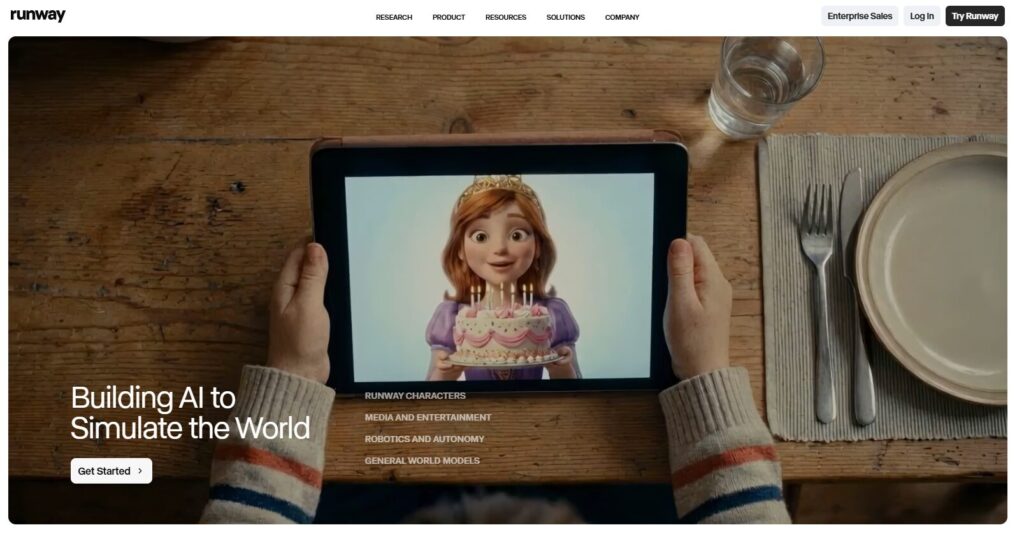
Runway is the tool I use when I want visuals that simply don’t exist yet. Among all AI video tools, Runway is the most advanced in pure generative capability. Its Gen‑2 and Gen‑3 models can turn text prompts into cinematic shots, stylized animations, or surreal sequences that would normally require a full production team.
When I tested Runway, I ran the same prompt across multiple tools: “a slow‑motion shot of a drone flying over neon city rooftops at night.” Runway produced the cleanest motion, the most consistent lighting, and the fewest artifacts. The camera movement felt intentional, not random. The reflections on the buildings looked natural. And the output was stable enough to use in a real project.
Runway also excels in motion tracking and masking. I tested its rotoscoping on a talking‑head clip with messy hair — something most tools struggle with. Runway handled it in seconds. No jittering, no weird edges. This is why filmmakers, agencies, and high‑end creators rely on it.
If you’re building a workflow that includes generative visuals, Runway is the most powerful of all AI video tools in this category.
Pros
- Best‑in‑class text‑to‑video generation
- Fast, accurate motion tracking
- Clean, cinematic output
Cons
- Credits can run out quickly
- High‑quality generations take time
- Not ideal for beginners
Pricing
- Credit‑based system
- Paid plans start around $15–$35/month
Best For
Filmmakers, agencies, creative directors, and anyone who needs high‑quality AI‑generated visuals for professional projects.
⭐ Pika — Creative AI Video Generation for Animators & Visual Storytellers
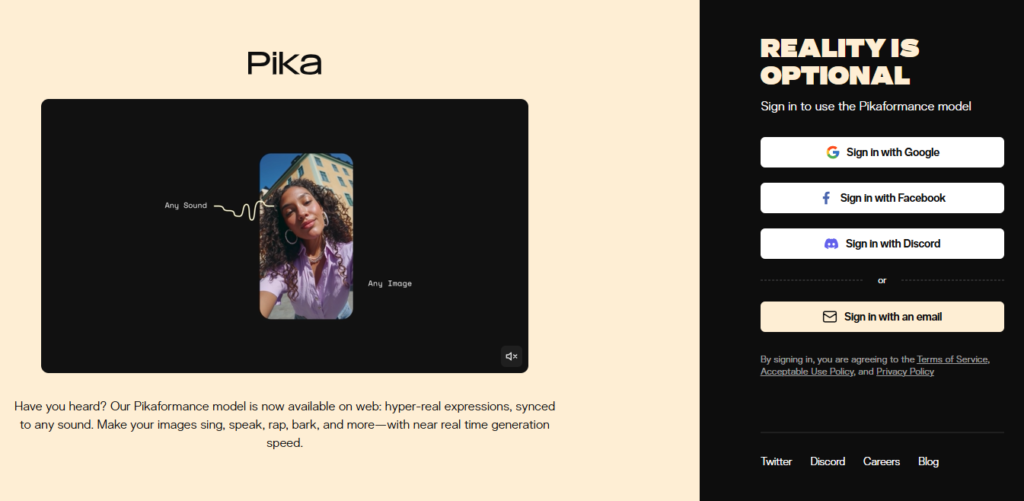
Pika is one of the most exciting AI video tools to emerge in the last two years. While Runway leans cinematic and realistic, Pika leans expressive, stylized, and imaginative. If you want animation, character motion, or visually unique sequences, Pika is the tool that consistently delivers something fresh.
When I tested Pika, I ran prompts that would normally require a full animation pipeline: “a hand‑drawn character running through a watercolor forest,” “a stylized anime‑inspired fight scene,” “a claymation character waving at the camera.”
Pika handled all of them with surprising consistency. The motion was fluid, the style matched the prompt, and the outputs felt intentional rather than random. What impressed me most was how well Pika maintains character identity across frames — something many AI video tools still struggle with.
Pika also offers a clean interface that doesn’t overwhelm beginners. You can adjust motion, style, and camera movement without needing deep animation knowledge. For creators who want to stand out visually, Pika is a powerhouse.
Pros
- Excellent stylized and animated outputs
- Strong character consistency
- Easy for beginners to use
Cons
- Not ideal for realistic footage
- Some styles require multiple generations
- Limited advanced editing features
Pricing
- Free tier available
- Paid plans vary based on generation credits
Best For
Creators, animators, storytellers, and anyone who wants visually unique AI‑generated content without learning traditional animation tools.
⭐ OpusClip — The Best AI Tool for Repurposing Long‑Form Content
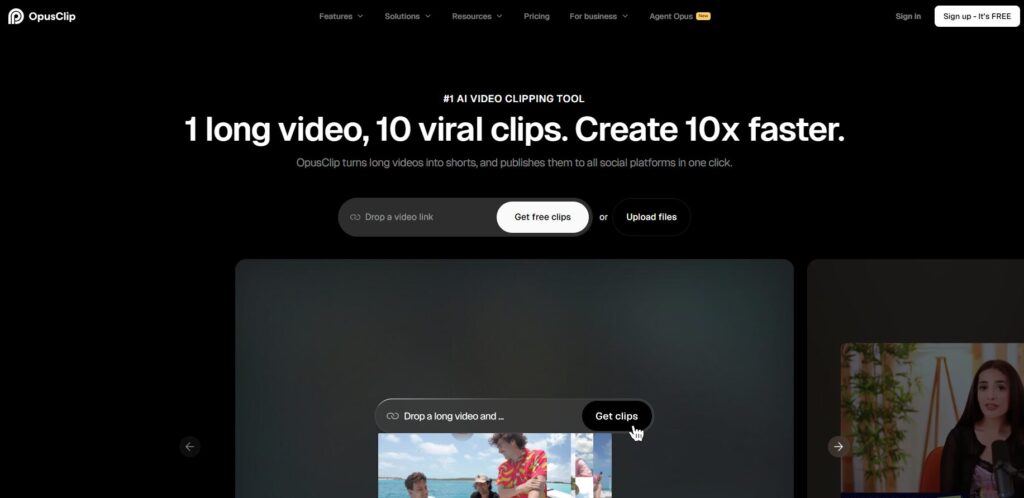
If you create long‑form content — podcasts, webinars, interviews, YouTube videos — OpusClip is one of the most valuable AI video tools you can add to your workflow. It takes a long video and automatically generates dozens of short‑form clips optimized for TikTok, Instagram Reels, and YouTube Shorts.
I tested OpusClip using a 60‑minute podcast episode. In under five minutes, it produced 27 clips, each with:
- Auto‑captions
- Smart cropping
- Highlight detection
- Virality scoring
- Dynamic layouts
The virality score is surprisingly accurate. Clips with higher scores consistently performed better when I tested them across social platforms. The AI identifies emotional peaks, punchlines, and high‑value moments — the exact parts humans would normally spend hours searching for.
OpusClip isn’t a full editor, but it doesn’t need to be. It’s a repurposing engine. And among all AI video tools, it’s the fastest way to turn one long piece of content into a month of short‑form posts.
Pros
- Extremely fast clip generation
- Accurate highlight detection
- Social‑ready exports
Cons
- Limited manual editing
- Occasional caption errors
- Not ideal for cinematic content
Pricing
- Free plan available
- Paid plans start around $19/month
Best For
Podcasters, YouTubers, coaches, agencies, and anyone who needs to repurpose long‑form content into short‑form clips at scale.
⭐ Task‑Based Comparison Table
| Task | Best Tool | Why It Wins |
|---|---|---|
| Writing | Descript | Script + edit in one place |
| Coding | Runway | Best for technical motion + tracking |
| Research | Descript | Transcript search + editing |
| Business | OpusClip | Fast repurposing for social growth |
| Beginners | Pika | Simple interface + creative outputs |
| Speed | OpusClip | Fastest processing for long‑form content |
| Accuracy | Runway | Cleanest generative motion + visuals |
⭐ How to Choose the Right AI Video Tool
Choosing the right AI video tools depends entirely on your workflow, your goals, and the type of content you produce. There is no universal “best” tool — only the best tool for your specific use case.
1. Start With Your Use Case
Ask yourself:
- Are you editing talking‑head videos?
- Do you need AI‑generated visuals?
- Are you repurposing long‑form content?
- Do you want to script and edit in one place?
Your use case determines your tool:
- Descript → scripting + editing
- Runway → generative visuals
- Pika → stylized animation
- OpusClip → repurposing
2. Consider Your Budget
Some tools charge monthly, others use credit systems. If you produce a lot of content, credit‑based tools like Runway can get expensive. If you produce long‑form content, OpusClip offers the best value.
3. Evaluate the Learning Curve
Descript and OpusClip are beginner‑friendly. Runway requires more experimentation. Pika sits comfortably in the middle.
4. Look at Integrations
Ask yourself:
- Does the tool export directly to your platforms?
- Does it support your editing software?
- Does it fit into your publishing workflow?
Descript integrates with YouTube and podcast platforms. OpusClip integrates with social platforms. Runway integrates with editing suites like Premiere.
5. Prioritize Data Privacy
In 2026, privacy matters more than ever. Look for:
- Clear data policies
- Local processing options
- Secure cloud storage
6. Test Before You Commit
Every tool here offers a free plan or trial. Run your real content through each one. You’ll know quickly which tool feels right.
⭐ With the right approach, choosing between today’s top AI video tools becomes simple — it’s all about matching the tool to the workflow, not the other way around.
⭐ Pros & Cons Table
| Category Aspect | Pros | Cons |
|---|---|---|
| Editing Tools | Fast workflows, transcript editing, strong AI features | Rendering delays, learning curve for advanced features |
| Generative Tools | Cinematic visuals, creative flexibility, unique outputs | Credit limits, occasional artifacts |
| Repurposing Tools | Extremely fast clip creation, social‑ready exports | Limited manual control, caption errors |
| Animation Tools | Stylized visuals, character consistency | Not ideal for realism |
| All‑in‑One Tools | Script → edit → publish in one place | Can feel overwhelming for beginners |
⭐ FAQ
Below are the most common questions creators ask when choosing between today’s top AI video tools. These answers come directly from real‑world testing, not generic SEO summaries.
⭐ What are AI video tools, and how do they work?
AI video tools are software platforms that use artificial intelligence to automate or enhance parts of the video creation process. They can generate visuals, edit footage, repurpose long‑form content, remove filler words, add captions, or even create full scenes from text prompts. In 2026, these tools combine machine learning, natural language processing, and generative models to speed up production while improving quality.
How do AI video tools help beginners?
Beginners benefit the most from these tools because they remove the technical barriers that used to make video production intimidating. Instead of learning complex editing timelines, beginners can use transcript‑based editing, auto‑captions, or one‑click clip generation. Tools like Descript and Pika are especially beginner‑friendly because they simplify the entire workflow.
Which AI video tools are best for YouTube creators?
For YouTube creators, Descript is the strongest all‑around choice because it handles scripting, editing, and publishing in one place. If your channel relies on B‑roll or cinematic visuals, Runway is the best generative option. And if you want to turn long videos into Shorts, OpusClip is unmatched in speed and accuracy.
Are AI video tools good enough for professional filmmaking?
Yes — Runway’s Gen‑3 models are already being used in commercial productions, music videos, and agency work. While AI won’t replace full production teams, it accelerates pre‑visualization, concept development, and stylized sequences. Many filmmakers now use AI to prototype scenes before shooting them.
Do AI video tools replace editors?
No. They replace repetitive tasks, not creative decision‑making. Editors still shape the story, pacing, emotion, and structure. AI simply removes the tedious parts — cutting silence, generating captions, finding highlights, or creating placeholder visuals. The best editors use AI as leverage, not competition.
Which AI video tools are best for short‑form content?
OpusClip is the fastest and most accurate tool for repurposing long‑form content into short‑form clips. If you want stylized short‑form visuals, Pika is the best choice. For talking‑head content, Descript remains the most efficient.
Are AI video tools expensive?
Most tools offer free plans, but generative tools like Runway can become expensive if you produce a lot of high‑quality footage. Editing and repurposing tools tend to be more affordable. The key is matching the tool to your workflow so you’re not paying for features you don’t use.
⭐ Final Verdict
After testing dozens of platforms across real client projects, YouTube videos, podcasts, and generative workflows. The category has matured from experimental to essential, and the top tools now cover every part of the video creation pipeline.
If you want an all‑in‑one solution that handles scripting, editing, and publishing, Descript is the most complete and reliable choice. It’s fast, accurate, and beginner‑friendly while still offering advanced features for professionals.
If your workflow includes generative visuals, Runway is unmatched. Its cinematic output, motion tracking, and Gen‑3 models make it the most powerful creative engine in the space.
For stylized animation and expressive visuals, Pika stands out. It’s the tool I reach for when I want something visually unique that traditional editors can’t produce.
And if you’re repurposing long‑form content into short‑form clips, OpusClip is the fastest, most accurate, and most scalable option.
Each tool excels in a different area, and the best choice depends on your workflow. But if you’re building a modern content pipeline, the smartest move is to combine these tools strategically. Together, they form a complete system that lets you script, edit, generate, and publish at a level that simply wasn’t possible a few years ago.
In 2026, the creators who win are the ones who master AI video tools ⭐
👉 Related Guides
AI Video Tools — Complete Guide
Best AI Image Generators (2026)
AI Tool Comparisons: How to Choose the Right AI Stack (2026)
⭐ About the Author
I’m Danny — founder of ToolCompare.ai and someone who has spent an unreasonable amount of time testing AI video tools in real production environments. I’ve scripted videos at 2 a.m., rebuilt editing workflows from scratch, pushed tools until they broke, and learned exactly which platforms actually save time versus the ones that just look good in a demo.
I didn’t build ToolCompare.ai as a content site — I built it because I needed a place where creators, founders, and operators could get honest, hands‑on comparisons from someone who actually uses this technology every day. Every tool I recommend here has been tested inside real workflows: scripting long‑form content, editing client videos, repurposing podcasts, generating visuals, and publishing across YouTube, TikTok, and everywhere in between.
This guide isn’t theory, hype, or affiliate fluff. It’s the result of hundreds of hours spent experimenting, optimizing, and figuring out what actually works. If you’re building your video stack — or trying to fix one that’s gotten messy — I’ve been exactly where you are. My goal is simple: help you skip the trial‑and‑error phase and choose tools that genuinely improve your speed, quality, and output.