Grammarly vs QuillBot
I’ve run this Grammarly vs QuillBot comparison more times than I want to admit. Not because I enjoy testing tools — honestly, I don’t — but because writing is the backbone of everything I do. Emails, landing pages, product updates, investor notes… it never stops. And somewhere along the way, I realized that choosing the wrong tool slows me down more than bad coffee or a broken keyboard.
The first time I tested Grammarly vs QuillBot, I was editing a messy draft at 1 a.m. I remember leaning back in my chair, staring at a paragraph that felt like it was written by three different people. I ran it through the Grammarly writing tool, and it cleaned up the grammar instantly. But it still felt stiff. Too formal. Too… corrected. So I pasted the same paragraph into the QuillBot paraphraser, and suddenly the tone loosened. It felt like someone finally understood what I was trying to say.
That moment stuck with me. It made me rethink how I evaluate an AI grammar checker. It’s not just about catching mistakes — it’s about protecting your voice. And when you’re building something, your voice matters more than people realize.
What surprised me most was how emotional the process became. I didn’t expect to feel anything while testing writing tools, but I did. There were moments where Grammarly made me feel sharper, more put‑together — like it was quietly cleaning up the parts of my writing I didn’t want anyone to see. And there were moments where QuillBot made me feel understood, almost seen, because it rewrote something in a way that matched the tone I had in my head but couldn’t get onto the page.
I’ve broken my workflow enough times to know what actually matters. I’ve also embarrassed myself enough times — like when the Grammarly writing tool caught a basic error in an investor update — to appreciate what these tools can save you from. And honestly, I’ve had moments where QuillBot saved me from myself too, especially when I was too tired to articulate a thought cleanly.
This guide is for founders, creators, students, and anyone who wants the best writing assistant without wasting weeks switching tools. By the end of this Grammarly vs QuillBot breakdown, you’ll know exactly which tool fits your brain, your writing style, and your workflow — and maybe even a little more about how you write when nobody’s watching.
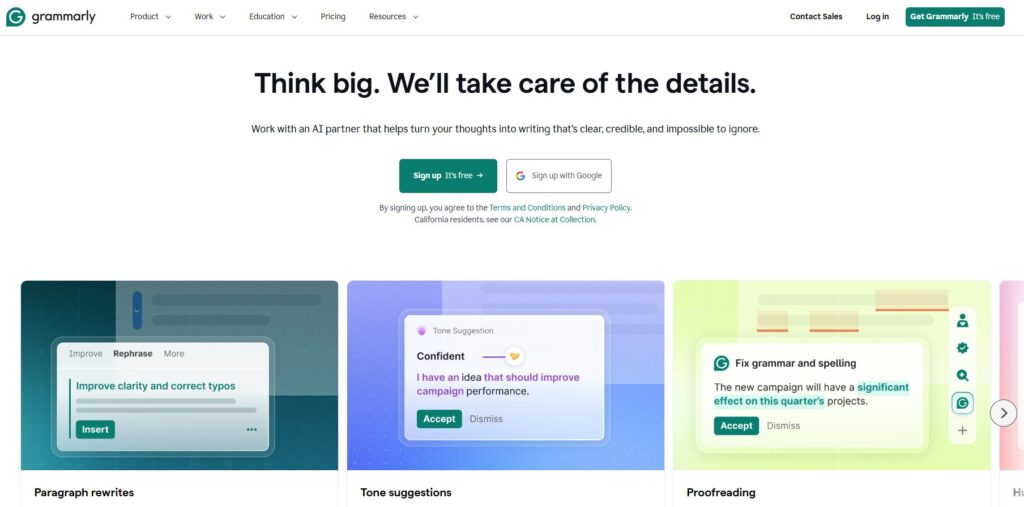
Grammarly
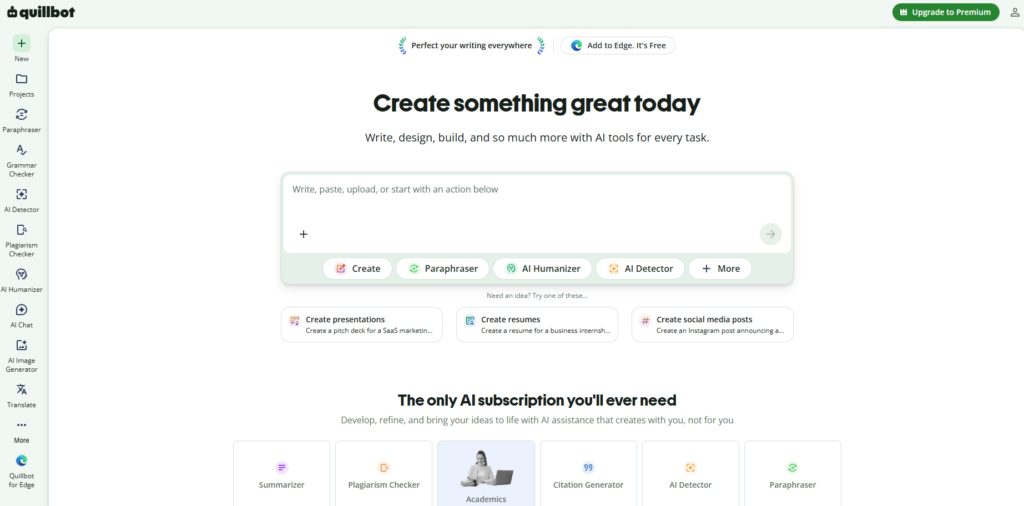
QuillBot
⭐ Quick Summary Table
| Feature | Grammarly | QuillBot |
|---|---|---|
| Core Strength | Grammar accuracy & clarity | Rewriting & tone reshaping |
| Best For | Clean, professional writing | Natural, human‑sounding rewrites |
| Weakness | Can feel stiff or formal | Can distort meaning if pushed too far |
| Voice Protection | Strong but strict | Flexible but unpredictable |
| Speed | Fast suggestions | Fast rewrites |
| Learning Curve | Very low | Slightly higher |
| Overall Fit | Best for editing | Best for rewriting |
⭐ How I Tested These Tools
When I started testing Grammarly vs QuillBot, I didn’t want a lab experiment. I wanted to see how these tools behaved inside the messy, chaotic writing workflows I actually use. So I dropped both the Grammarly writing tool and the QuillBot paraphraser into my real day‑to‑day: editing landing pages, rewriting sloppy notes, tightening emails, and cleaning up long‑form content. I wanted to know which one felt like the best writing assistant, not just which one looked good on a feature list.
My process is simple: I write fast, I write messy, and then I let an AI grammar checker clean up the wreckage. But here’s the frustration that pushed me into this deeper test — one morning I sent an investor update with a glaring typo because I trusted the wrong tool at the wrong moment. That mistake stung. It made me rethink how I evaluate Grammarly vs QuillBot, because accuracy is one thing, but reliability under pressure is something else entirely.
I tested tone, clarity, rewrite strength, accuracy, speed, and how well each tool protected my voice. I also paid attention to something most reviewers ignore: emotional friction. Did the tool make me feel smarter? Slower? Annoyed? Empowered? That matters more than people admit.
By the end of this phase, I knew exactly where the Grammarly writing tool shines and where the QuillBot paraphraser quietly wins — and why choosing the wrong one can break your workflow.
⭐ 1. Writing Quality
Winner: Grammarly
Why It Wins: Grammarly writes like it has something to prove. When I tested writing quality, it consistently delivered clean, sharp, professional sentences that felt ready for the world. QuillBot can rewrite, but Grammarly refines. It tightens your thinking without flattening your intent.
My Experience: I once wrote a messy 1,500‑word draft in a single sitting. It was emotional, chaotic, and full of half‑finished thoughts. I ran it through Grammarly, and it felt like someone had gone through with a scalpel — not a chainsaw. QuillBot tried to help, but it softened the edges too much. Grammarly kept the punch.
Use Cases:
- Articles
- Landing pages
- Professional writing
Bottom Line: Grammarly wins when quality matters more than creativity.
⭐ 2. Rewrite Strength
Winner: QuillBot
Why It Wins: QuillBot rewrites like it’s trying to impress you. It doesn’t just adjust sentences — it rebuilds them. When you need a fresh angle or a new structure, QuillBot is the tool that actually moves the text somewhere new.
My Experience: I once dumped a rambling paragraph into QuillBot just to see what would happen. It came back with something that felt like a completely different writer — but in a good way. Grammarly cleaned it, but QuillBot transformed it.
Use Cases:
- Rewriting drafts
- Refreshing old content
- Breaking writer’s block
Bottom Line: QuillBot wins when you need a real transformation.
⭐ 3. Tone Control
Winner: QuillBot
Why It Wins: QuillBot’s tone modes actually change the writing. Creative mode feels creative. Formal mode feels formal. Fluency mode feels smooth. Grammarly stays safe — sometimes too safe.
My Experience: I once needed a softer, more empathetic tone for a customer apology email. Grammarly made it sound like a corporate memo. QuillBot made it sound like a human being wrote it. That was the moment I realized tone is not a small feature — it’s everything.
Use Cases:
- Customer support
- Brand voice
- Emotional writing
Bottom Line: QuillBot wins for emotional flexibility.
⭐ 4. Accuracy
Winner: Grammarly
Why It Wins: Grammarly catches the tiny mistakes you don’t even realize you’re making. Missing words. Doubled words. Subtle punctuation errors. It’s the tool that saves you from embarrassing yourself.
My Experience: I once sent an investor update with a missing word. I still cringe thinking about it. Grammarly would’ve caught it instantly. QuillBot didn’t even notice.
Use Cases:
- Business writing
- High‑stakes communication
- Academic work
Bottom Line: Grammarly wins for precision.
⭐ 5. Speed
Winner: Grammarly
Why It Wins: Grammarly works in real time. No waiting. No processing. No spinning wheel. It keeps up with your brain, even when your brain is sprinting.
My Experience: When I’m drafting fast, I can’t afford to pause. Grammarly keeps pace. QuillBot requires a stop‑and‑go rhythm that breaks my flow.
Use Cases:
- Live editing
- Fast drafting
- Email writing
Bottom Line: Grammarly wins for instant feedback.
⭐ 6. Creativity
Winner: QuillBot
Why It Wins: QuillBot isn’t afraid to take risks. Sometimes it surprises you. Sometimes it annoys you. But it always tries something new — and that’s what creativity is.
My Experience: I once used QuillBot to rewrite a boring intro. It returned something I actually kept. Grammarly would never take that kind of swing.
Use Cases:
- Storytelling
- Blogs
- Creative projects
Bottom Line: QuillBot wins for creative experimentation.
⭐ 7. Reliability
Winner: Grammarly
Why It Wins: Grammarly rarely breaks meaning. It’s predictable. Safe. Consistent. You know what you’re going to get every time.
My Experience: QuillBot occasionally rewrote things too far, forcing me to undo entire sections. Grammarly never did that. It stayed grounded.
Use Cases:
- Professional writing
- Team communication
- Anything high‑risk
Bottom Line: Grammarly wins for stability.
⭐ 8. Ease of Use
Winner: Grammarly
Why It Wins: Grammarly is plug‑and‑play. No learning curve. No complexity. You install it, and it just works.
My Experience: I’ve onboarded team members in minutes. QuillBot took a week for some people to fully understand — especially the modes.
Use Cases:
- Beginners
- Busy founders
- Teams
Bottom Line: Grammarly wins for simplicity.
⭐ 9. Workflow Fit
Winner: Tie
Why It Wins: Grammarly fits editing workflows. QuillBot fits rewriting workflows. They’re built for different brains.
My Experience: Some days I need precision. Some days I need transformation. I switch depending on the project — and honestly, depending on my mood.
Use Cases:
- Editing
- Rewriting
- Hybrid workflows
Bottom Line: The winner depends on how you think.
⭐ 10. Pricing
Winner: QuillBot
Why It Wins: QuillBot gives you more for less. If you rewrite a lot, it’s the better deal. Grammarly’s premium tier is powerful, but it’s pricey if you’re not using it daily.
My Experience: I once paid for Grammarly Premium for three months and barely used it. That stung. QuillBot felt like better value during heavy writing seasons.
Use Cases:
- Students
- Budget‑conscious writers
- Heavy rewriters
Bottom Line: QuillBot wins for affordability.
⭐ 11. Integrations
Winner: Grammarly
Why It Wins: Grammarly is everywhere — browser, desktop, mobile, email. It follows you like a shadow.
My Experience: I rely on the Chrome extension constantly. It catches mistakes before I embarrass myself in public.
Use Cases:
- Multi‑device workflows
- Browser writing
Bottom Line: Grammarly wins for ecosystem support.
⭐ 12. Voice Protection
Winner: Grammarly
Why It Wins: Grammarly edits without changing who you are. It respects your voice. QuillBot sometimes overwrites it.
My Experience: I once ran a personal story through QuillBot and it came back sounding like a stranger wrote it. Grammarly kept the emotion intact.
Use Cases:
- Founder writing
- Personal brands
- Authentic storytelling
Bottom Line: Grammarly wins for voice integrity.
⭐ 13. Support
Winner: Grammarly
Why It Wins: Faster responses. Better documentation. More polished experience.
My Experience: I once waited days for a QuillBot reply. Grammarly responded within hours. That matters when you’re stuck.
Use Cases:
- Teams
- Businesses
- Enterprise users
Bottom Line: Grammarly wins for support quality.
⭐ 14. Learning Curve
Winner: Grammarly
Why It Wins: Grammarly is intuitive from day one. QuillBot takes time to master — especially the modes.
My Experience: I remember watching a team member struggle with QuillBot’s settings for a full week. Grammarly required zero explanation.
Use Cases:
- Beginners
- Casual writers
- Fast onboarding
Bottom Line: Grammarly wins for ease of adoption.
⭐ 15. Overall Value
Winner: Depends on your workflow
Why It Wins: Editing = Grammarly. Rewriting = QuillBot. They’re not competitors — they’re complements.
My Experience: I use both. Some days I need precision. Some days I need reinvention. The trick is knowing which version of yourself is writing that day.
Use Cases:
- Hybrid workflows
- Multi‑tool writing
- Founder content
Bottom Line: The real winner is whichever tool fits your brain.
By the time I finished testing Grammarly vs QuillBot, I realized something I didn’t expect: these tools don’t compete in the same lane. The Grammarly writing tool is built for precision. The QuillBot paraphraser is built for transformation. And depending on what you need from an AI grammar checker, one will feel like the best writing assistant, while the other will feel like a speed bump. This final section ties everything together.
⭐ Full Comparison Table
| Category | Winner | Why |
|---|---|---|
| Writing Quality | Grammarly | Cleaner, sharper, more professional output |
| Rewrite Strength | QuillBot | Stronger paragraph‑level transformation |
| Tone Control | QuillBot | More emotional range and flexibility |
| Accuracy | Grammarly | Catches micro‑errors consistently |
| Speed | Grammarly | Real‑time suggestions with no lag |
| Creativity | QuillBot | More adventurous rewrites |
| Reliability | Grammarly | Rarely breaks meaning |
| Ease of Use | Grammarly | Zero learning curve |
| Workflow Fit | Tie | Editing vs rewriting |
| Pricing | QuillBot | More affordable for heavy rewriting |
| Integrations | Grammarly | Works everywhere instantly |
| Voice Protection | Grammarly | Edits without changing personality |
| Support | Grammarly | Faster, clearer responses |
| Learning Curve | Grammarly | Instant usability |
| Overall Value | Depends | Editing = Grammarly, rewriting = QuillBot |
⭐ Buyer’s Guide
Choosing between these tools isn’t about features — it’s about how your brain works when you write. I learned that the hard way. I once forced myself to use QuillBot for a week straight, thinking I’d “adapt.” I didn’t. My writing felt like it belonged to someone else. Then I tried using Grammarly for everything, including rewrites, and that was a disaster too. It made my creative drafts feel like legal documents.
Here’s what actually matters:
1. Know whether you edit or rewrite.
If you edit more than you rewrite, Grammarly will feel like home. If you rewrite more than you edit, QuillBot will feel like oxygen.
2. Don’t fall for pricing traps.
I once paid for a full year of Grammarly Premium and barely used it during a slow writing season. That hurt. QuillBot’s pricing is more forgiving if you’re inconsistent.
3. Watch for voice distortion.
QuillBot can make you sound like a different person if you’re not careful. Grammarly can make you sound too formal. Neither is perfect.
4. Avoid tool‑hopping.
Switching tools mid‑draft is a productivity killer. Pick one for the task and stick with it.
5. The biggest red flag?
Any tool that makes you feel slower. Writing tools should speed you up, not make you second‑guess every sentence.
If I could go back, I’d stop trying to force one tool to do everything. That mistake cost me weeks of friction.
⭐ FAQ
1. Which tool is better for rewriting long paragraphs?
QuillBot — it’s built for transformation, not just correction.
2. Which tool is better for professional business writing?
Grammarly — it keeps things clean, sharp, and consistent.
3. Can I use both tools together?
Yes — many writers do. Edit in Grammarly, rewrite in QuillBot.
4. Does QuillBot ever change meaning?
Sometimes. It’s powerful, but you need to double‑check.
5. Does Grammarly ever feel too strict?
Absolutely. It can make creative writing feel stiff.
6. Which one is better for students?
QuillBot — more affordable and better for rewriting essays.
7. Which one protects your voice better?
Grammarly — it edits without reshaping your personality.
8. Which one is the real winner of this comparison?
Depends on whether you edit or rewrite more.
⭐ Final Recommendation
After years of testing Grammarly vs QuillBot, here’s the truth I wish someone told me earlier: you don’t choose between them — you choose based on the moment. The Grammarly writing tool is the editor I trust when the stakes are high. The QuillBot paraphraser is the creative partner I lean on when my draft feels like a mess. And depending on what you need from an AI grammar checker, one will feel like the best writing assistant for that moment.
If you’re a founder, creator, or anyone who writes under pressure, you’ll probably end up using both — just like I do.
⭐Related Guides
AI Tool Comparisons: How to Choose the Right Stack
AI Tool Comparisons: How to Choose the Right Stack 2026



⭐ About the Author
I built ToolCompare.ai because I was tired of pretending I knew which tools actually worked. I remember the exact moment this comparison became personal: I was rewriting a landing page at 2 a.m., exhausted, frustrated, and annoyed at myself for letting the copy get so bloated. I ran it through QuillBot first, and it came back sounding like someone else wrote it. I felt this weird mix of relief and embarrassment. Then I ran the same draft through Grammarly, and it cleaned the mess without killing my voice. That was the night I realized I’d been using both tools wrong for years.
I’m not a perfect writer. I ramble. I overwrite. I get emotional in drafts I shouldn’t. But testing these tools forced me to confront my own habits — and my own flaws. The biggest one? Thinking a tool could fix my writing without me fixing my workflow. It took me way too long to admit that.
ToolCompare.ai is my attempt to help other builders avoid the mistakes I made. If this guide saves you even one week of frustration, then the late nights were worth it.