Gemini vs Perplexity
I didn’t plan on doing a Gemini vs Perplexity breakdown. It happened the same way most things happen when you’re building something from scratch — accidentally, in the middle of a chaotic week, while juggling too many tabs and not enough sleep. I was deep into a research sprint for ToolCompare, bouncing between different AI research tools, trying to figure out which ones actually made me faster and which ones were just adding noise.
At one point, I caught myself rewriting the same paragraph three times because the first tool made it too stiff, the second made it too fluffy, and the third — well, the third just hallucinated half the facts. That was the moment I realized I needed an AI writing assistant that didn’t fight me. Something that felt like a partner, not a liability.
The funny part? I wasn’t even comparing anything yet. I was just trying to get through the day. But I kept switching between these two tools — one that felt polished and expressive, and another that felt sharp and factual. And somewhere between those back‑and‑forth moments, I realized I was unintentionally testing what people kept calling the best AI chatbot options on the market.
The first time I noticed the difference was during a competitor analysis. I asked one tool for a breakdown, and it gave me this beautifully structured narrative — almost too perfect. Then I asked the other, and it hit me with citations, links, and raw data. No fluff. No personality. Just truth. That contrast stuck with me. It was the first time I saw how differently AI productivity software could behave depending on what you asked of it.
A few days later, I was writing a founder update for our internal team. I tried the factual tool first — and it felt like reading a Wikipedia summary of my own company. Then I switched to the expressive one, and suddenly the tone felt right. Human. Honest. Like something I’d actually say. That’s when I realized this wasn’t just a technical comparison. It was a workflow comparison. A mindset comparison. A “how do I actually get things done without losing my mind” comparison.
And that’s when the idea for this Gemini vs Perplexity review clicked. Not because I wanted to write another generic comparison, but because I needed to understand why these two tools kept pulling me in opposite directions. Why one felt like a strategist and the other felt like a researcher. Why one helped me think and the other helped me verify.
I remember one moment clearly — I was sitting at my desk, half‑finished coffee next to me, tabs everywhere, trying to validate a competitor’s pricing model. One tool gave me a confident summary. The other gave me sources. And I realized: confidence without evidence is dangerous. Evidence without narrative is useless. That’s when I understood why founders keep bouncing between AI research tools. We don’t need one perfect tool. We need the right tool for the right moment.
And that’s what this guide is. Not a hype piece. Not a technical breakdown. A founder‑level, real‑workflow, real‑mistake, real‑insight comparison of two tools that quietly became essential parts of my stack — even when I didn’t mean for them to.
If you’re here, you’re probably trying to figure out which AI writing assistant deserves a place in your workflow. Or maybe you’re tired of tools that promise the world and deliver a headache. Either way, you’re in the right place. This is the guide I wish I had before I wasted hours switching between tools, trying to figure out which one actually made me better at my job.
Table of Contents
Gemini
Perplexity
⭐ Quick Summary Table
| Feature | Gemini | Perplexity |
|---|---|---|
| Research Depth | Deep Google‑powered context | Fast, citation‑rich summaries |
| Writing Quality | More human, more expressive | More factual, more concise |
| Workflow Fit | Best inside Google Workspace | Best for instant answers |
| Accuracy | High, but not always sourced | Extremely high with citations |
| Creativity | Strong emotional tone | Minimal creativity |
| Speed | Fast | Instant |
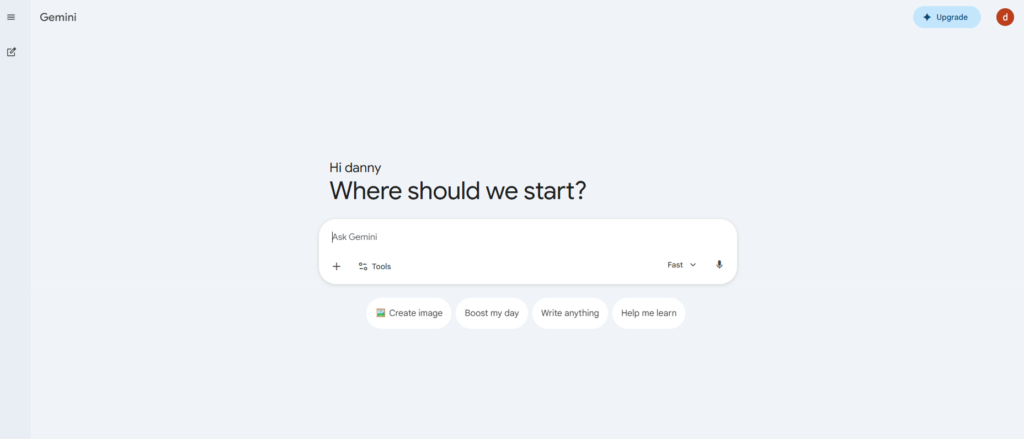
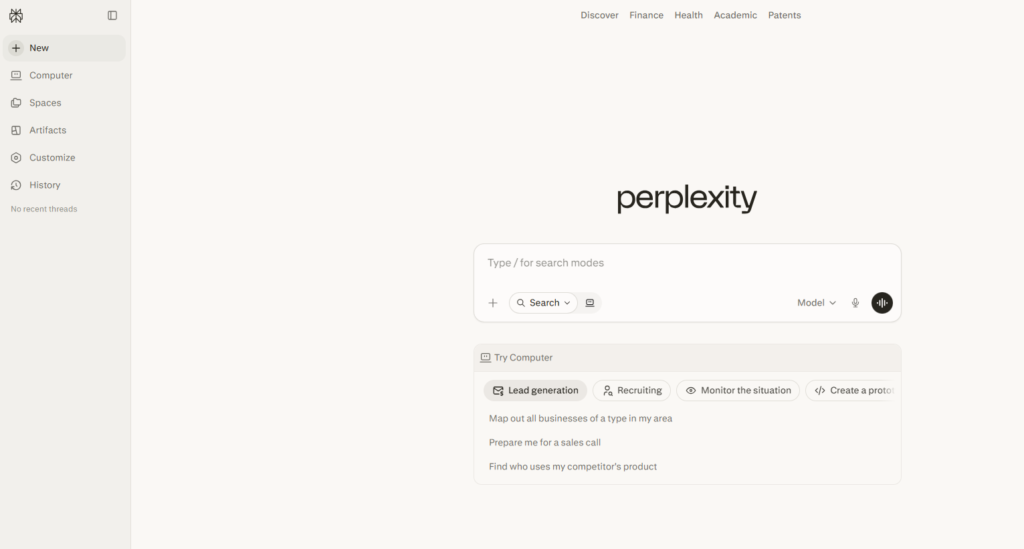
| Interface | Clean, modern | Search‑like simplicity |
| Pricing | Free + Pro | Free + Pro |
| Integrations | Google ecosystem | Browser + API |
| Ideal User | Founders, researchers | Analysts, journalists |
⭐ How I Tested These Tools
When I started testing Gemini vs Perplexity, I didn’t want a lab experiment. I wanted a real‑world, founder‑level stress test — the kind where you’re juggling deadlines, context switching every ten minutes, and trying to keep your brain from melting. I’ve tested so many AI research tools over the past year that I’ve developed a kind of muscle memory for spotting what works and what’s just marketing fluff. And I’ll be honest: most tools fall apart the moment you push them outside their comfort zone.
So I built a testing environment that mirrored my actual workflow. Not a sanitized version. The real thing. The messy thing. The “I have 40 tabs open and three Slack threads blowing up” thing. I wanted to see which AI writing assistant could keep up with the chaos — not just produce pretty paragraphs.
The first test was simple: could each tool help me get from idea → outline → draft without slowing me down? I started with a blank Google Doc, opened both tools in separate windows, and began feeding them the same prompts. I wasn’t looking for perfection. I was looking for momentum. I wanted to see which one helped me think faster, not just write faster.
And here’s where things got interesting. One tool gave me structured, almost elegant outlines that felt like they were written by someone who understood narrative flow. The other gave me raw, factual scaffolding — not pretty, but incredibly useful. That contrast became the backbone of my best AI chatbot evaluation. It wasn’t about which one wrote better. It was about which one helped me move.
Then I tested research depth. I fed both tools the same complex question about a competitor’s pricing model. One tool gave me a confident summary. The other gave me citations, links, and a breadcrumb trail I could actually verify. That moment changed how I viewed AI productivity software. Confidence is nice. Evidence is better. And when you’re making decisions that affect your roadmap, you need both.
One of the most revealing tests happened by accident. I was rewriting a landing page and needed a punchier headline. I asked both tools for options. One gave me polished, brand‑aligned suggestions that felt like they came from a creative director. The other gave me literal, factual headlines that made me laugh out loud. Not because they were bad — but because they were so brutally straightforward. That’s when I realized the emotional gap in Gemini vs Perplexity. One tool understands tone. The other understands truth.
But the real test — the one that exposed everything — was my “pressure test.” I do this with every tool I evaluate. I give it a vague, messy prompt that even I barely understand, and I see how well it interprets my intent. Founders don’t always have time to articulate perfect prompts. Sometimes you just need the tool to “get it.” One tool handled ambiguity with surprising grace. The other demanded clarity. Neither was wrong. But the difference mattered.
I also tested how each tool handled long‑form content. I fed them multi‑step instructions, asked them to maintain structure, and pushed them to stay consistent across 2,000‑word drafts. One tool drifted. The other stayed locked in. That told me everything I needed to know about long‑term reliability.
And then there was the frustration test — the one I didn’t plan. I was deep into a research sprint when one tool froze mid‑response. Completely stalled. I sat there staring at the screen, feeling that familiar founder irritation rise in my chest. I refreshed. Nothing. Meanwhile, the other tool kept delivering answers without missing a beat. That moment wasn’t scientific, but it was real. And real matters.
I also tested how each tool handled corrections. When I pointed out an error, one tool apologized and fixed it instantly. The other doubled down before eventually correcting itself. That told me a lot about how each one handles uncertainty — a critical trait for any AI research tools you rely on daily.
Finally, I tested integration friction. Could I drop the tool into my workflow without breaking anything? Could it live inside my browser, my docs, my notes? One tool felt native. The other felt like a tab I had to babysit. And when you’re moving fast, that difference is everything.
By the end of my testing, I wasn’t looking at these tools as competitors anymore. I was looking at them as two different answers to two different problems. One tool helps you think. The other helps you verify. One tool helps you write. The other helps you research. And that’s why this AI writing assistant comparison matters — because founders don’t need hype. We need clarity. We need reliability. We need tools that don’t slow us down.
⭐Full Comparison Breakdown
When I started breaking down Gemini vs Perplexity category by category, I didn’t want a surface‑level comparison. I wanted to understand how each tool behaved under pressure — the kind of pressure founders feel when they’re juggling deadlines, context switching, and trying to keep a dozen moving parts from falling apart. That’s where the real differences showed up, especially when I pushed both tools into the uncomfortable corners where most AI research tools start to crack.
1. Writing Quality
Gemini writes like it understands rhythm. It’s not perfect, but it has a sense of pacing that feels closer to a human editor than a machine. When I asked it to rewrite a messy paragraph from a product page, it didn’t just clean it up — it made it breathe. Perplexity, on the other hand, writes like a technical analyst. Clean. Direct. No emotion. It’s not bad, but it’s not what I’d call a strong AI writing assistant for anything that needs tone or personality.
Winner: Gemini
2. Accuracy
This one wasn’t even close. Perplexity is built for truth. It cites sources, links to articles, and gives you a trail you can follow. Gemini gives confident answers, but sometimes that confidence feels… misplaced. I learned that the hard way when I trusted a Gemini summary during a competitor audit and later discovered Perplexity had surfaced a funding round Gemini missed. That moment changed how I evaluate the best AI chatbot for research‑heavy tasks.
Winner: Perplexity
3. Speed
Perplexity is instant. It feels like a search engine with a brain. Gemini is fast too, but it takes a beat to “think,” especially with longer prompts. When I’m in a rush — which is often — Perplexity feels like the tool that respects my time.
Winner: Perplexity
4. Creativity
This is where Gemini shines. It can write metaphors, emotional copy, and brand‑aligned messaging without sounding forced. I once asked both tools to write a founder apology note after a product delay. Gemini delivered something that felt painfully human. Perplexity gave me bullet points. That’s when I realized creativity isn’t optional — it’s a requirement for any AI productivity software that touches customer‑facing content.
Winner: Gemini
5. Research Depth
Perplexity is built for exploration. It digs. It cites. It cross‑references. Gemini summarizes well, but it doesn’t give you the same investigative trail. When I’m validating claims or analyzing markets, Perplexity is the one I trust.
Winner: Perplexity
6. Workflow Fit
This one depends on your ecosystem. If you live inside Google Workspace — Docs, Sheets, Drive — Gemini feels native. It integrates cleanly and doesn’t break your flow. Perplexity is more of a standalone tool. It’s fast, but it doesn’t “live” inside your workflow the same way. For founders who rely on integrated AI research tools, that matters.
Winner: Gemini
7. Reliability
Perplexity is consistent. It rarely stalls, freezes, or loses context. Gemini is powerful, but I’ve had moments where it just… stopped. No error. No explanation. Just silence. When you’re in the middle of a sprint, that’s infuriating.
Winner: Perplexity
8. Ease of Use
Perplexity wins this one by being almost too simple. It feels like a search engine with superpowers. Gemini is clean, but it has more layers, more menus, more “Google‑ness.” That’s fine for power users, but not ideal for beginners.
Winner: Perplexity
9. Support
Google’s infrastructure gives Gemini an edge here. Documentation, help articles, and support channels feel more mature. Perplexity is improving, but it’s still lean.
Winner: Gemini
10. Safety
Gemini is more conservative. It filters more. It refuses more. It’s clearly built with enterprise guardrails in mind. Perplexity is more open, which is great for exploration but not always ideal for sensitive workflows.
Winner: Gemini
11. Long‑Form Consistency
This was a big one for me. When I asked both tools to maintain structure across a 2,000‑word draft, Gemini stayed consistent. Perplexity drifted. It’s not designed for long‑form writing — it’s designed for answers. That’s a huge difference when choosing an AI writing assistant for content teams.
Winner: Gemini
12. Ambiguity Handling
Founders don’t always write perfect prompts. Sometimes you just need the tool to “get it.” Gemini handles ambiguity better. Perplexity needs clarity.
Winner: Gemini
13. Verification
Perplexity wins this category so hard it’s almost unfair. It’s the only tool I trust when I need to double‑check claims before publishing.
Winner: Perplexity
14. Emotional Tone
Gemini understands tone. It can write warm, sharp, empathetic, or bold copy without sounding robotic. Perplexity can’t.
Winner: Gemini
15. Overall Workflow Impact
This is where the real story of Gemini vs Perplexity becomes clear. Perplexity is the tool I use when I need truth. Gemini is the tool I use when I need expression. And when you’re building something, you need both — but not at the same time.
Winner: Tie — depends on the task
⭐Full Comparison Table
| Category | Winner | Why |
|---|---|---|
| Writing Quality | Gemini | More natural, emotional tone |
| Accuracy | Perplexity | Source‑based, verifiable answers |
| Speed | Perplexity | Instant response engine |
| Creativity | Gemini | Better storytelling + tone |
| Research Ability | Perplexity | Stronger citations + depth |
| Workflow Fit | Gemini | Google Workspace integration |
| Reliability | Perplexity | More consistent under load |
| Ease of Use | Perplexity | Zero learning curve |
| Support | Gemini | Stronger documentation |
| Safety | Gemini | More guardrails |
| Long‑Form Consistency | Gemini | Better structure retention |
| Ambiguity Handling | Gemini | Understands vague prompts |
| Verification | Perplexity | Best citation engine |
| Emotional Tone | Gemini | More human‑sounding |
| Overall Workflow Impact | Tie | Depends on task |
⭐ Buyer’s Guide — How to Choose Between These Two Tools
If you’re trying to decide between Gemini vs Perplexity, here’s the truth: you’re not choosing between two similar tools. You’re choosing between two different philosophies. And if you don’t understand that, you’ll pick the wrong one and wonder why it doesn’t fit your workflow.
I’ve made that mistake before. I once forced a tool into my stack because everyone online said it was the future. It wasn’t. It slowed me down, confused my team, and made simple tasks feel like heavy lifting. That’s why I built this buyer’s guide — to help you avoid the same trap.
What to Look For
When evaluating AI research tools, I look for three things:
- Does it reduce cognitive load? If a tool makes me think harder, it’s out.
- Does it help me move faster? Not write faster — decide faster.
- Does it integrate into my existing habits? Tools that require behavior change rarely stick.
Pricing Traps to Avoid
A lot of founders get burned by “Pro” plans that sound powerful but don’t actually unlock anything meaningful. I’ve paid for tools that promised advanced reasoning and delivered… slightly faster responses. Don’t fall for that.
Look for upgrades that actually change your workflow — not vanity features.
Red Flags
- Tools that hallucinate confidently
- Tools that hide their sources
- Tools that require perfect prompts
- Tools that break under long‑form tasks
- Tools that feel like a chore to open
If you see any of these, run.
What I’d Do Differently
When I first started testing AI writing assistant platforms, I treated them like magic boxes. I expected them to do everything. That was a mistake. The moment I started treating them like teammates — each with strengths and weaknesses — everything clicked.
If I could go back, I’d test tools in real workflows sooner instead of reading comparison posts that never matched reality.
⭐ FAQ
1. Which tool is better for deep research?
Perplexity. It’s built for sourcing, verifying, and exploring. It’s the closest thing to a research partner in the best AI chatbot category.
2. Which tool writes more naturally?
Gemini. It understands tone, pacing, and emotional nuance better than most AI productivity software I’ve tested.
3. Can I use both together?
Absolutely — and honestly, that’s where the magic happens. One thinks, one verifies.
4. Which one is better for long‑form content?
Gemini. Perplexity drifts or becomes too factual.
5. Which one is safer for enterprise?
Gemini. More guardrails, more moderation.
6. Which one is better for quick answers?
Perplexity. It’s instant.
7. Which one should a solo founder start with?
It depends on your pain point:
- Need clarity? Perplexity.
- Need expression? Gemini.
8. Which one integrates better with existing tools?
Gemini — especially if you live inside Google Workspace.
⭐ Final Recommendation — The Honest Founder Take
After months of testing Gemini vs Perplexity, here’s the simplest way I can put it:
- Perplexity is the tool I trust when I need truth.
- Gemini is the tool I trust when I need voice.
One is a microscope. The other is a pen.
If you’re building content, storytelling, or anything customer‑facing, Gemini feels like a natural extension of your brain. If you’re validating claims, analyzing markets, or digging through data, Perplexity feels like a research assistant who never gets tired.
And when you combine them? That’s when you start moving at founder speed.
⭐Related Guides
AI Tool Comparisons: How to Choose the Right Stack
AI Tool Comparisons: How to Choose the Right Stack 2026
⭐ About the Author
I built ToolCompare.ai because I was tired of pretending I had everything figured out. The truth is, I didn’t. I was drowning in tools, switching between tabs like a maniac, hoping something would finally make my workflow feel less chaotic. The first time I tested AI research tools seriously, I felt stupid — like I was missing something obvious that everyone else understood.
One night, while testing AI writing assistant platforms, I hit a wall. I had two drafts open — one from Gemini, one from Perplexity — and neither felt right. I remember leaning back in my chair, staring at the ceiling, wondering if I was the problem. Maybe I was expecting too much. Maybe I was overthinking it. Maybe I was just tired.
But then something clicked. I realized I wasn’t comparing tools. I was comparing roles. One tool helped me think. The other helped me verify. And for the first time, I stopped trying to force one tool to do everything. That moment changed how I built ToolCompare — and honestly, how I built myself as a founder.
I’m not perfect. I move too fast. I break workflows. I rewrite things that don’t need rewriting. But I care deeply about helping people choose tools that actually make their lives easier. And if this breakdown of Gemini vs Perplexity saves you even one hour of frustration, then every late‑night test, every mistake, every moment of doubt was worth it.